
Connectivity Software User's Guide and Reference
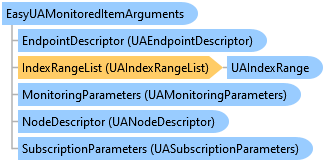
EasyUAMonitoredItemArguments Class
'Declaration<CLSCompliantAttribute(True)> <ComDefaultInterfaceAttribute(OpcLabs.EasyOpc.UA.OperationModel.ComTypes._EasyUAMonitoredItemArguments)> <ComVisibleAttribute(True)> <GuidAttribute("014F8522-306C-4E1B-9A8C-7E940AB94A3E")> <TypeConverterAttribute(System.ComponentModel.ExpandableObjectConverter)> <ValueControlAttribute("OpcLabs.BaseLib.Forms.Common.ObjectSerializationControl, OpcLabs.BaseLibForms, Version=5.84.192.1, Culture=neutral, PublicKeyToken=6faddca41dacb409", DefaultReadWrite=False, Export=True, PageId=10001)> <SerializableAttribute()> Public Class EasyUAMonitoredItemArguments Inherits UAMonitoredItemArguments Implements LINQPad.ICustomMemberProvider, OpcLabs.BaseLib.ComTypes._Info, OpcLabs.BaseLib.ComTypes._Object2, OpcLabs.BaseLib.OperationModel.ComTypes._OperationArguments, OpcLabs.EasyOpc.UA.OperationModel.ComTypes._EasyUAMonitoredItemArguments, OpcLabs.EasyOpc.UA.OperationModel.ComTypes._UAAttributeArguments, OpcLabs.EasyOpc.UA.OperationModel.ComTypes._UAMonitoredItemArguments, OpcLabs.EasyOpc.UA.OperationModel.ComTypes._UANodeArguments, System.ICloneable, System.Runtime.Serialization.ISerializable, System.Xml.Serialization.IXmlSerializable
'UsageDim instance As EasyUAMonitoredItemArguments
[CLSCompliant(true)]
[ComDefaultInterface(OpcLabs.EasyOpc.UA.OperationModel.ComTypes._EasyUAMonitoredItemArguments)]
[ComVisible(true)]
[Guid("014F8522-306C-4E1B-9A8C-7E940AB94A3E")]
[TypeConverter(System.ComponentModel.ExpandableObjectConverter)]
[ValueControl("OpcLabs.BaseLib.Forms.Common.ObjectSerializationControl, OpcLabs.BaseLibForms, Version=5.84.192.1, Culture=neutral, PublicKeyToken=6faddca41dacb409",
   DefaultReadWrite=false,
   Export=true,
   PageId=10001)]
[Serializable()]
public class EasyUAMonitoredItemArguments : UAMonitoredItemArguments, LINQPad.ICustomMemberProvider, OpcLabs.BaseLib.ComTypes._Info, OpcLabs.BaseLib.ComTypes._Object2, OpcLabs.BaseLib.OperationModel.ComTypes._OperationArguments, OpcLabs.EasyOpc.UA.OperationModel.ComTypes._EasyUAMonitoredItemArguments, OpcLabs.EasyOpc.UA.OperationModel.ComTypes._UAAttributeArguments, OpcLabs.EasyOpc.UA.OperationModel.ComTypes._UAMonitoredItemArguments, OpcLabs.EasyOpc.UA.OperationModel.ComTypes._UANodeArguments, System.ICloneable, System.Runtime.Serialization.ISerializable, System.Xml.Serialization.IXmlSerializable
[CLSCompliant(true)]
[ComDefaultInterface(OpcLabs.EasyOpc.UA.OperationModel.ComTypes._EasyUAMonitoredItemArguments)]
[ComVisible(true)]
[Guid("014F8522-306C-4E1B-9A8C-7E940AB94A3E")]
[TypeConverter(System.ComponentModel.ExpandableObjectConverter)]
[ValueControl("OpcLabs.BaseLib.Forms.Common.ObjectSerializationControl, OpcLabs.BaseLibForms, Version=5.84.192.1, Culture=neutral, PublicKeyToken=6faddca41dacb409",
   DefaultReadWrite=false,
   Export=true,
   PageId=10001)]
[Serializable()]
public ref class EasyUAMonitoredItemArguments : public UAMonitoredItemArguments, LINQPad.ICustomMemberProvider, OpcLabs.BaseLib.ComTypes._Info, OpcLabs.BaseLib.ComTypes._Object2, OpcLabs.BaseLib.OperationModel.ComTypes._OperationArguments, OpcLabs.EasyOpc.UA.OperationModel.ComTypes._EasyUAMonitoredItemArguments, OpcLabs.EasyOpc.UA.OperationModel.ComTypes._UAAttributeArguments, OpcLabs.EasyOpc.UA.OperationModel.ComTypes._UAMonitoredItemArguments, OpcLabs.EasyOpc.UA.OperationModel.ComTypes._UANodeArguments, System.ICloneable, System.Runtime.Serialization.ISerializable, System.Xml.Serialization.IXmlSerializable
// This example shows how to subscribe to changes of multiple monitored items and display the value of the monitored item with
// each change.
//
// Find all latest examples here: https://www.doc-that.com/files/onlinedocs/OPCLabs-ConnectivityStudio/Latest/examples.html .
// OPC client and subscriber examples in C# on GitHub: https://github.com/OPCLabs/Examples-ConnectivityStudio-CSharp .
// Missing some example? Ask us for it on our Online Forums, https://forum.opclabs.com/forum/index ! You do not have to own
// a commercial license in order to use Online Forums, and we reply to every post.

using System;
using OpcLabs.EasyOpc.UA;
using OpcLabs.EasyOpc.UA.OperationModel;

namespace UADocExamples._EasyUAClient
{
    partial class SubscribeMultipleMonitoredItems
    {
        public static void Main1()
        {
            UAEndpointDescriptor endpointDescriptor =
                "opc.tcp://opcua.demo-this.com:51210/UA/SampleServer";
            // or "http://opcua.demo-this.com:51211/UA/SampleServer" (currently not supported)
            // or "https://opcua.demo-this.com:51212/UA/SampleServer/"

            // Instantiate the client object and hook events.
            var client = new EasyUAClient();
            client.DataChangeNotification += client_DataChangeNotification_Main1;

            Console.WriteLine("Subscribing...");
            client.SubscribeMultipleMonitoredItems(new[]
                {
                    new EasyUAMonitoredItemArguments(null, endpointDescriptor,
                        "nsu=http://test.org/UA/Data/ ;i=10845", 1000),
                    new EasyUAMonitoredItemArguments(null, endpointDescriptor,
                        "nsu=http://test.org/UA/Data/ ;i=10853", 1000),
                    new EasyUAMonitoredItemArguments(null, endpointDescriptor,
                        "nsu=http://test.org/UA/Data/ ;i=10855", 1000)
                });

            Console.WriteLine("Processing monitored item changed events for 10 seconds...");
            System.Threading.Thread.Sleep(10 * 1000);

            Console.WriteLine("Unsubscribing...");
            client.UnsubscribeAllMonitoredItems();

            Console.WriteLine("Waiting for 5 seconds...");
            System.Threading.Thread.Sleep(5 * 1000);

            Console.WriteLine("Finished.");
        }

        static void client_DataChangeNotification_Main1(object sender, EasyUADataChangeNotificationEventArgs e)
        {
            // Display value.
            if (e.Succeeded)
                Console.WriteLine($"{e.Arguments.NodeDescriptor}: {e.AttributeData.Value}");
            else
                Console.WriteLine($"{e.Arguments.NodeDescriptor} *** Failure: {e.ErrorMessageBrief}");
        }
    }
}
# This example shows how to subscribe to changes of multiple monitored items and display the value of the monitored item with
# each change.
#
# Find all latest examples here: https://www.doc-that.com/files/onlinedocs/OPCLabs-ConnectivityStudio/Latest/examples.html .
# OPC client and subscriber examples in PowerShell on GitHub: https://github.com/OPCLabs/Examples-ConnectivityStudio-PowerShell .
# Missing some example? Ask us for it on our Online Forums, https://forum.opclabs.com/forum/index ! You do not have to own
# a commercial license in order to use Online Forums, and we reply to every post.

#requires -Version 5.1
using namespace OpcLabs.EasyOpc.UA
using namespace OpcLabs.EasyOpc.UA.OperationModel

# The path below assumes that the current directory is [ProductDir]/Examples-NET/PowerShell/Windows .
Add-Type -Path "../../../Components/Opclabs.QuickOpc/net472/OpcLabs.EasyOpcUAPrimitives.dll"
Add-Type -Path "../../../Components/Opclabs.QuickOpc/net472/OpcLabs.EasyOpcUACore.dll"
Add-Type -Path "../../../Components/Opclabs.QuickOpc/net472/OpcLabs.EasyOpcUA.dll"
Add-Type -Path "../../../Components/Opclabs.QuickOpc/net472/OpcLabs.EasyOpcUAComponents.dll"

[UAEndpointDescriptor]$endpointDescriptor =
    "opc.tcp://opcua.demo-this.com:51210/UA/SampleServer"
# or "http://opcua.demo-this.com:51211/UA/SampleServer" (currently not supported)
# or "https://opcua.demo-this.com:51212/UA/SampleServer/"

# Instantiate the client object.
$client = New-Object EasyUAClient

# Data change notification handler
Register-ObjectEvent -InputObject $client -EventName DataChangeNotification -Action {
    # Display value.
    if ($EventArgs.Succeeded) {
        Write-Host "$($EventArgs.Arguments.NodeDescriptor): $($EventArgs.AttributeData.Value)"
    }
    else {
        Write-Host "$($EventArgs.Arguments.NodeDescriptor) *** Failure: $($EventArgs.ErrorMessageBrief)"
    }
}

Write-Host "Subscribing..."
$handleArray = $client.SubscribeMultipleMonitoredItems(@(
    (New-Object UAMonitoredItemArguments(
        (New-Object UAAttributeArguments($endpointDescriptor, [UANodeDescriptor]"nsu=http://test.org/UA/Data/ ;i=10845")),
        1000)),
    (New-Object UAMonitoredItemArguments(
        (New-Object UAAttributeArguments($endpointDescriptor, [UANodeDescriptor]"nsu=http://test.org/UA/Data/ ;i=10853")),
        1000)),
    (New-Object UAMonitoredItemArguments(
        (New-Object UAAttributeArguments($endpointDescriptor, [UANodeDescriptor]"nsu=http://test.org/UA/Data/ ;i=10855")),
        1000))
    ))

Write-Host
Write-Host "Processing monitored item changed events for 10 seconds..."
$stopwatch =  [System.Diagnostics.Stopwatch]::StartNew()
while ($stopwatch.Elapsed.TotalSeconds -lt 10) {
    Start-Sleep -Seconds 1
}

Write-Host "Unsubscribing..."
$client.UnsubscribeAllMonitoredItems()

Write-Host "Waiting for 5 seconds..."
Start-Sleep -Seconds 5

Write-Host "Finished."
' This example shows how to subscribe to changes of multiple monitored items and display the value of the monitored item with
' each change.
'
' Find all latest examples here: https://www.doc-that.com/files/onlinedocs/OPCLabs-ConnectivityStudio/Latest/examples.html .
' OPC client and subscriber examples in VB.NET on GitHub: https://github.com/OPCLabs/Examples-ConnectivityStudio-VBNET .
' Missing some example? Ask us for it on our Online Forums, https://forum.opclabs.com/forum/index ! You do not have to own
' a commercial license in order to use Online Forums, and we reply to every post.

Imports OpcLabs.EasyOpc.UA
Imports OpcLabs.EasyOpc.UA.OperationModel

Namespace Global.UADocExamples._EasyUAClient
    Partial Friend Class SubscribeMultipleMonitoredItems
        Public Shared Sub Main1()

            ' Define which server we will work with.
            Dim endpointDescriptor As UAEndpointDescriptor =
                    "opc.tcp://opcua.demo-this.com:51210/UA/SampleServer"
            ' or "http://opcua.demo-this.com:51211/UA/SampleServer" (currently not supported)
            ' or "https://opcua.demo-this.com:51212/UA/SampleServer/"

            ' Instantiate the client object and hook events
            Dim client = New EasyUAClient()
            AddHandler client.DataChangeNotification, AddressOf client_DataChangeNotification

            Console.WriteLine("Subscribing...")
            client.SubscribeMultipleMonitoredItems(New EasyUAMonitoredItemArguments() _
                {
                    New EasyUAMonitoredItemArguments(Nothing, endpointDescriptor, "nsu=http://test.org/UA/Data/ ;i=10845", 1000),
                    New EasyUAMonitoredItemArguments(Nothing, endpointDescriptor, "nsu=http://test.org/UA/Data/ ;i=10853", 1000),
                    New EasyUAMonitoredItemArguments(Nothing, endpointDescriptor, "nsu=http://test.org/UA/Data/ ;i=10855", 1000)
                }
             )

            Console.WriteLine("Processing monitored item changed events for 10 seconds...")
            Threading.Thread.Sleep(10 * 1000)

            Console.WriteLine("Unsubscribing...")
            client.UnsubscribeAllMonitoredItems()

            Console.WriteLine("Waiting for 5 seconds...")
            Threading.Thread.Sleep(5 * 1000)
        End Sub

        Private Shared Sub client_DataChangeNotification(ByVal sender As Object, ByVal e As EasyUADataChangeNotificationEventArgs)
            ' Display value
            If e.Succeeded Then
                Console.WriteLine($"{e.Arguments.NodeDescriptor}: {e.AttributeData.Value}")
            Else
                Console.WriteLine($"{e.Arguments.NodeDescriptor} *** Failure: {e.ErrorMessageBrief}")
            End If
        End Sub
    End Class
End Namespace
# This example shows how to subscribe to changes of multiple monitored items and display the value of the monitored item
# with each change.
#
# Find all latest examples here: https://www.doc-that.com/files/onlinedocs/OPCLabs-ConnectivityStudio/Latest/examples.html .
# OPC client and subscriber examples in Python on GitHub: https://github.com/OPCLabs/Examples-ConnectivityStudio-Python .
# Missing some example? Ask us for it on our Online Forums, https://forum.opclabs.com/forum/index ! You do not have to own
# a commercial license in order to use Online Forums, and we reply to every post.
# The QuickOPC package is needed. Install it using "pip install opclabs_quickopc".
import opclabs_quickopc
import time

# Import .NET namespaces.
from OpcLabs.EasyOpc.UA import *
from OpcLabs.EasyOpc.UA.OperationModel import *


def dataChangeNotification(sender, e):
    # Display value.
    if e.Succeeded:
        print(e.Arguments.NodeDescriptor, ': ', e.AttributeData.Value, sep='')
    else:
        print(e.Arguments.NodeDescriptor, ' *** Failure: ', e.ErrorMessageBrief, sep='')


endpointDescriptor = UAEndpointDescriptor('opc.tcp://opcua.demo-this.com:51210/UA/SampleServer')
# or 'http://opcua.demo-this.com:51211/UA/SampleServer' (currently not supported)
# or 'https://opcua.demo-this.com:51212/UA/SampleServer/'

# Instantiate the client object and hook events.
client = EasyUAClient()
client.DataChangeNotification += dataChangeNotification

print('Subscribing...')
client.SubscribeMultipleMonitoredItems([
    EasyUAMonitoredItemArguments(
        None,
        endpointDescriptor,
        UANodeDescriptor('nsu=http://test.org/UA/Data/ ;i=10845'),
        UAMonitoringParameters(1000)),
    EasyUAMonitoredItemArguments(
        None,
        endpointDescriptor,
        UANodeDescriptor('nsu=http://test.org/UA/Data/ ;i=10853'),
        UAMonitoringParameters(1000)),
    EasyUAMonitoredItemArguments(
        None,
        endpointDescriptor,
        UANodeDescriptor('nsu=http://test.org/UA/Data/ ;i=10855'),
        UAMonitoringParameters(1000)),
    ])

print('Processing data change events for 10 seconds...')
time.sleep(10)

print('Unsubscribing...')
client.UnsubscribeAllMonitoredItems()

print('Waiting for 5 seconds...')
time.sleep(5)

print('Finished.')
// This example shows how to obtain parameters of certain monitored item subscription.
//
// Find all latest examples here: https://www.doc-that.com/files/onlinedocs/OPCLabs-ConnectivityStudio/Latest/examples.html .
// OPC client and subscriber examples in C# on GitHub: https://github.com/OPCLabs/Examples-ConnectivityStudio-CSharp .
// Missing some example? Ask us for it on our Online Forums, https://forum.opclabs.com/forum/index ! You do not have to own
// a commercial license in order to use Online Forums, and we reply to every post.

using System;
using OpcLabs.EasyOpc.UA;
using OpcLabs.EasyOpc.UA.OperationModel;

namespace UADocExamples._EasyUAClient
{
    class GetMonitoredItemArguments
    {
        public static void Main1()
        {
            UAEndpointDescriptor endpointDescriptor =
                "opc.tcp://opcua.demo-this.com:51210/UA/SampleServer";
            // or "http://opcua.demo-this.com:51211/UA/SampleServer" (currently not supported)
            // or "https://opcua.demo-this.com:51212/UA/SampleServer/"

            // Instantiate the client object and hook events.
            var client = new EasyUAClient();
            client.DataChangeNotification += client_DataChangeNotification;

            Console.WriteLine("Subscribing...");
            int[] handleArray = client.SubscribeMultipleMonitoredItems(new[]
                {
                    new EasyUAMonitoredItemArguments(null, endpointDescriptor,
                        "nsu=http://test.org/UA/Data/ ;i=10845", 1000),
                    new EasyUAMonitoredItemArguments(null, endpointDescriptor,
                        "nsu=http://test.org/UA/Data/ ;i=10853", 1000),
                    new EasyUAMonitoredItemArguments(null, endpointDescriptor,
                        "nsu=http://test.org/UA/Data/ ;i=10855", 1000)
                });

            Console.WriteLine("Getting monitored item arguments...");
            EasyUAMonitoredItemArguments monitoredItemArguments =
                client.GetMonitoredItemArguments(handleArray[2]);
            Console.WriteLine($"NodeDescriptor: {monitoredItemArguments.NodeDescriptor}");
            Console.WriteLine($"SamplingInterval: {monitoredItemArguments.MonitoringParameters.SamplingInterval}");
            Console.WriteLine($"PublishingInterval: {monitoredItemArguments.SubscriptionParameters.PublishingInterval}");

            Console.WriteLine("Waiting for 5 seconds...");
            System.Threading.Thread.Sleep(5 * 1000);

            Console.WriteLine("Unsubscribing...");
            client.UnsubscribeAllMonitoredItems();

            Console.WriteLine("Waiting for 5 seconds...");
            System.Threading.Thread.Sleep(5 * 1000);

            Console.WriteLine("Finished.");
        }

        static void client_DataChangeNotification(object sender, EasyUADataChangeNotificationEventArgs e)
        {
            // Your code would do the processing here.
        }


        // Example output:
        //
        //Subscribing...
        //Getting monitored item arguments...
        //NodeDescriptor: NodeId="nsu=http://test.org/UA/Data/ ;i=10855"
        //SamplingInterval: 1000
        //PublishingInterval: 0
        //Waiting for 5 seconds...
        //Unsubscribing...
        //Waiting for 5 seconds...
        //Finished.

    }
}
# This example shows how to obtain parameters of certain monitored item subscription.
#
# Find all latest examples here: https://www.doc-that.com/files/onlinedocs/OPCLabs-ConnectivityStudio/Latest/examples.html .
# OPC client and subscriber examples in PowerShell on GitHub: https://github.com/OPCLabs/Examples-ConnectivityStudio-PowerShell .
# Missing some example? Ask us for it on our Online Forums, https://forum.opclabs.com/forum/index ! You do not have to own
# a commercial license in order to use Online Forums, and we reply to every post.

#requires -Version 5.1
using namespace OpcLabs.EasyOpc.UA
using namespace OpcLabs.EasyOpc.UA.OperationModel

# The path below assumes that the current directory is [ProductDir]/Examples-NET/PowerShell/Windows .
Add-Type -Path "../../../Components/Opclabs.QuickOpc/net472/OpcLabs.EasyOpcUAPrimitives.dll"
Add-Type -Path "../../../Components/Opclabs.QuickOpc/net472/OpcLabs.EasyOpcUACore.dll"
Add-Type -Path "../../../Components/Opclabs.QuickOpc/net472/OpcLabs.EasyOpcUA.dll"
Add-Type -Path "../../../Components/Opclabs.QuickOpc/net472/OpcLabs.EasyOpcUAComponents.dll"

[UAEndpointDescriptor]$endpointDescriptor =
    "opc.tcp://opcua.demo-this.com:51210/UA/SampleServer"
# or "http://opcua.demo-this.com:51211/UA/SampleServer" (currently not supported)
# or "https://opcua.demo-this.com:51212/UA/SampleServer/"

# Instantiate the client object.
$client = New-Object EasyUAClient

# Data change notification handler
Register-ObjectEvent -InputObject $client -EventName DataChangeNotification -Action {
    # Your code would do the processing here.
}

Write-Host "Subscribing..."
$handleArray = $client.SubscribeMultipleMonitoredItems(@(
    (New-Object UAMonitoredItemArguments(
        (New-Object UAAttributeArguments($endpointDescriptor, [UANodeDescriptor]"nsu=http://test.org/UA/Data/ ;i=10845")),
        1000)),
    (New-Object UAMonitoredItemArguments(
        (New-Object UAAttributeArguments($endpointDescriptor, [UANodeDescriptor]"nsu=http://test.org/UA/Data/ ;i=10853")),
        1000)),
    (New-Object UAMonitoredItemArguments(
        (New-Object UAAttributeArguments($endpointDescriptor, [UANodeDescriptor]"nsu=http://test.org/UA/Data/ ;i=10855")),
        1000))
    ))

Write-Host "Getting monitored item arguments..."
$monitoredItemArguments = $client.GetMonitoredItemArguments($handleArray[2])
Write-Host "NodeDescriptor: $($monitoredItemArguments.NodeDescriptor)"
Write-Host "SamplingInterval: $($monitoredItemArguments.MonitoringParameters.SamplingInterval)"
Write-Host "PublishingInterval: $($monitoredItemArguments.SubscriptionParameters.PublishingInterval)"

Write-Host "Waiting for 5 seconds..."
Start-Sleep -Seconds 5

Write-Host "Unsubscribing..."
$client.UnsubscribeAllMonitoredItems()

Write-Host "Waiting for 5 seconds..."
Start-Sleep -Seconds 5

Write-Host "Finished."


# Example output:
#
#Subscribing...
#Getting monitored item arguments...
#NodeDescriptor: NodeId="nsu=http://test.org/UA/Data/ ;i=10855"
#SamplingInterval: 1000
#PublishingInterval: 0
#Waiting for 5 seconds...
#Unsubscribing...
#Waiting for 5 seconds...
#Finished.
' This example shows how to obtain parameters of certain monitored item subscription.
'
' Find all latest examples here: https://www.doc-that.com/files/onlinedocs/OPCLabs-ConnectivityStudio/Latest/examples.html .
' OPC client and subscriber examples in VB.NET on GitHub: https://github.com/OPCLabs/Examples-ConnectivityStudio-VBNET .
' Missing some example? Ask us for it on our Online Forums, https://forum.opclabs.com/forum/index ! You do not have to own
' a commercial license in order to use Online Forums, and we reply to every post.

Imports OpcLabs.EasyOpc.UA
Imports OpcLabs.EasyOpc.UA.OperationModel

Namespace Global.UADocExamples._EasyUAClient
    Friend Class GetMonitoredItemArguments
        Public Shared Sub Main1()

            ' Define which server we will work with.
            Dim endpointDescriptor As UAEndpointDescriptor =
                    "opc.tcp://opcua.demo-this.com:51210/UA/SampleServer"
            ' or "http://opcua.demo-this.com:51211/UA/SampleServer" (currently not supported)
            ' or "https://opcua.demo-this.com:51212/UA/SampleServer/"

            ' Instantiate the client object and hook events
            Dim client = New EasyUAClient()
            AddHandler client.DataChangeNotification, AddressOf client_DataChangeNotification

            Console.WriteLine("Subscribing...")
            Dim handleArray() As Integer = client.SubscribeMultipleMonitoredItems(New EasyUAMonitoredItemArguments() _
               { _
                   New EasyUAMonitoredItemArguments(Nothing, endpointDescriptor, "nsu=http://test.org/UA/Data/ ;i=10845", 1000), _
                   New EasyUAMonitoredItemArguments(Nothing, endpointDescriptor, "nsu=http://test.org/UA/Data/ ;i=10853", 1000), _
                   New EasyUAMonitoredItemArguments(Nothing, endpointDescriptor, "nsu=http://test.org/UA/Data/ ;i=10855", 1000) _
               } _
            )

            Console.WriteLine("Getting monitored item arguments...")
            Dim monitoredItemArguments As EasyUAMonitoredItemArguments = client.GetMonitoredItemArguments(handleArray(2))
            Console.WriteLine("NodeDescriptor: {0}", monitoredItemArguments.NodeDescriptor)
            Console.WriteLine("SamplingInterval: {0}", monitoredItemArguments.MonitoringParameters.SamplingInterval)
            Console.WriteLine("PublishingInterval: {0}", monitoredItemArguments.SubscriptionParameters.PublishingInterval)

            Console.WriteLine("Waiting for 5 seconds...")
            Threading.Thread.Sleep(5 * 1000)

            Console.WriteLine("Unsubscribing...")
            client.UnsubscribeAllMonitoredItems()

            Console.WriteLine("Waiting for 5 seconds...")
            Threading.Thread.Sleep(5 * 1000)
        End Sub

        Private Shared Sub client_DataChangeNotification(ByVal sender As Object, ByVal e As EasyUADataChangeNotificationEventArgs)
            ' Your code would do the processing here
        End Sub
    End Class
End Namespace
// This example shows how to obtain parameters of certain monitored item subscription.
//
// Find all latest examples here: https://www.doc-that.com/files/onlinedocs/OPCLabs-ConnectivityStudio/Latest/examples.html .
// OPC client and subscriber examples in Object Pascal (Delphi) on GitHub: https://github.com/OPCLabs/Examples-ConnectivityStudio-OP .
// Missing some example? Ask us for it on our Online Forums, https://forum.opclabs.com/forum/index ! You do not have to own
// a commercial license in order to use Online Forums, and we reply to every post.

type
  TClientEventHandlers115 = class
    procedure Client_DataChangeNotification(
      ASender: TObject;
      sender: OleVariant;
      const eventArgs: _EasyUADataChangeNotificationEventArgs);
  end;

procedure TClientEventHandlers115.Client_DataChangeNotification(
  ASender: TObject;
  sender: OleVariant;
  const eventArgs: _EasyUADataChangeNotificationEventArgs);
begin
  // Your code would do the processing here
end;

class procedure GetMonitoredItemArguments.Main;
var
  Arguments: OleVariant;
  Client: TEasyUAClient;
  ClientEventHandlers: TClientEventHandlers115;
  HandleArray: OleVariant;
  MonitoredItemArguments1, MonitoredItemArguments2, MonitoredItemArguments3:
    _EasyUAMonitoredItemArguments;
  MonitoredItemArguments: _EasyUAMonitoredItemArguments;
begin
  // Instantiate the client object and hook events
  Client := TEasyUAClient.Create(nil);
  ClientEventHandlers := TClientEventHandlers115.Create;
  Client.OnDataChangeNotification := ClientEventHandlers.Client_DataChangeNotification;

  WriteLn('Subscribing...');
  MonitoredItemArguments1 := CoEasyUAMonitoredItemArguments.Create;
  MonitoredItemArguments1.EndpointDescriptor.UrlString :=
    //'http://opcua.demo-this.com:51211/UA/SampleServer';
    //'https://opcua.demo-this.com:51212/UA/SampleServer/';
    'opc.tcp://opcua.demo-this.com:51210/UA/SampleServer';
  MonitoredItemArguments1.NodeDescriptor.NodeId.ExpandedText := 'nsu=http://test.org/UA/Data/ ;i=10845';
  MonitoredItemArguments2 := CoEasyUAMonitoredItemArguments.Create;
  MonitoredItemArguments2.EndpointDescriptor.UrlString :=
    //'http://opcua.demo-this.com:51211/UA/SampleServer';
    //'https://opcua.demo-this.com:51212/UA/SampleServer/';
    'opc.tcp://opcua.demo-this.com:51210/UA/SampleServer';
  MonitoredItemArguments2.NodeDescriptor.NodeId.ExpandedText := 'nsu=http://test.org/UA/Data/ ;i=10853';
  MonitoredItemArguments3 := CoEasyUAMonitoredItemArguments.Create;
  MonitoredItemArguments3.EndpointDescriptor.UrlString :=
    //'http://opcua.demo-this.com:51211/UA/SampleServer';
    //'https://opcua.demo-this.com:51212/UA/SampleServer/';
    'opc.tcp://opcua.demo-this.com:51210/UA/SampleServer';
  MonitoredItemArguments3.NodeDescriptor.NodeId.ExpandedText := 'nsu=http://test.org/UA/Data/ ;i=10855';

  Arguments := VarArrayCreate([0, 2], varVariant);
  Arguments[0] := MonitoredItemArguments1;
  Arguments[1] := MonitoredItemArguments2;
  Arguments[2] := MonitoredItemArguments3;

  TVarData(HandleArray).VType := varArray or varVariant;
  TVarData(HandleArray).VArray := PVarArray(
    Client.SubscribeMultipleMonitoredItems(Arguments));

  WriteLn('Getting monitored item arguments...');
  MonitoredItemArguments := Client.GetMonitoredItemArguments(HandleArray[2]);

  WriteLn('NodeDescriptor: ', MonitoredItemArguments.NodeDescriptor.ToString);
  WriteLn('SamplingInterval: ', MonitoredItemArguments.MonitoringParameters.ToString);
  WriteLn('PublishingInterval: ', MonitoredItemArguments.SubscriptionParameters.ToString);

  WriteLn('Waiting for 5 seconds...');
  PumpSleep(5*1000);

  WriteLn('Unsubscribing...');
  Client.UnsubscribeAllMonitoredItems;

  WriteLn('Waiting for 5 seconds...');
  Sleep(5*1000);

  WriteLn('Finished.');

  VarClear(HandleArray);
  VarClear(Arguments);
  FreeAndNil(Client);
  FreeAndNil(ClientEventHandlers);
end;
# This example shows how to obtain parameters of certain monitored item subscription.
#
# Find all latest examples here: https://www.doc-that.com/files/onlinedocs/OPCLabs-ConnectivityStudio/Latest/examples.html .
# OPC client and subscriber examples in Python on GitHub: https://github.com/OPCLabs/Examples-ConnectivityStudio-Python .
# Missing some example? Ask us for it on our Online Forums, https://forum.opclabs.com/forum/index ! You do not have to own
# a commercial license in order to use Online Forums, and we reply to every post.
# The QuickOPC package is needed. Install it using "pip install opclabs_quickopc".
import opclabs_quickopc
import time

# Import .NET namespaces.
from OpcLabs.EasyOpc.UA import *
from OpcLabs.EasyOpc.UA.OperationModel import *


def dataChangeNotification(sender, e):
    # Your code would do the processing here.
    pass


endpointDescriptor = UAEndpointDescriptor('opc.tcp://opcua.demo-this.com:51210/UA/SampleServer')
# or 'http://opcua.demo-this.com:51211/UA/SampleServer' (currently not supported)
# or 'https://opcua.demo-this.com:51212/UA/SampleServer/'

# Instantiate the client object and hook events.
client = EasyUAClient()
client.DataChangeNotification += dataChangeNotification

print('Subscribing...')
handleArray = client.SubscribeMultipleMonitoredItems([
    EasyUAMonitoredItemArguments(
        None,
        UAEndpointDescriptor('opc.tcp://opcua.demo-this.com:51210/UA/SampleServer'),
        UANodeDescriptor('nsu=http://test.org/UA/Data/ ;i=10845'),
        UAMonitoringParameters(1000)),
    EasyUAMonitoredItemArguments(
        None,
        UAEndpointDescriptor('opc.tcp://opcua.demo-this.com:51210/UA/SampleServer'),
        UANodeDescriptor('nsu=http://test.org/UA/Data/ ;i=10853'),
        UAMonitoringParameters(1000)),
    EasyUAMonitoredItemArguments(
        None,
        UAEndpointDescriptor('opc.tcp://opcua.demo-this.com:51210/UA/SampleServer'),
        UANodeDescriptor('nsu=http://test.org/UA/Data/ ;i=10855'),
        UAMonitoringParameters(1000)),
    ])

print('Getting monitored item arguments...')
monitoredItemArguments = client.GetMonitoredItemArguments(handleArray[2])
print('NodeDescriptor: ', monitoredItemArguments.NodeDescriptor, sep='')
print('SamplingInterval: ', monitoredItemArguments.MonitoringParameters.SamplingInterval, sep='')
print('PublishingInterval: ', monitoredItemArguments.SubscriptionParameters.PublishingInterval, sep='')

print('Waiting for 5 seconds...')
time.sleep(5)

print('Unsubscribing...')
client.UnsubscribeAllMonitoredItems()

print('Waiting for 5 seconds...')
time.sleep(5)

print('Finished.')
// This example shows how to obtain dictionary of parameters of all monitored item subscriptions.
//
// Find all latest examples here: https://www.doc-that.com/files/onlinedocs/OPCLabs-ConnectivityStudio/Latest/examples.html .
// OPC client and subscriber examples in C# on GitHub: https://github.com/OPCLabs/Examples-ConnectivityStudio-CSharp .
// Missing some example? Ask us for it on our Online Forums, https://forum.opclabs.com/forum/index ! You do not have to own
// a commercial license in order to use Online Forums, and we reply to every post.

using System;
using OpcLabs.EasyOpc.UA;
using OpcLabs.EasyOpc.UA.OperationModel;

namespace UADocExamples._EasyUAClient
{
    class GetMonitoredItemArgumentsDictionary
    {
        public static void Main1()
        {
            UAEndpointDescriptor endpointDescriptor =
                "opc.tcp://opcua.demo-this.com:51210/UA/SampleServer";
            // or "http://opcua.demo-this.com:51211/UA/SampleServer" (currently not supported)
            // or "https://opcua.demo-this.com:51212/UA/SampleServer/"

            // Instantiate the client object and hook events.
            var client = new EasyUAClient();
            client.DataChangeNotification += client_DataChangeNotification;

            Console.WriteLine("Subscribing...");
            client.SubscribeMultipleMonitoredItems(new[]
                {
                    new EasyUAMonitoredItemArguments(null, endpointDescriptor,
                        "nsu=http://test.org/UA/Data/ ;i=10845", 1000),
                    new EasyUAMonitoredItemArguments(null, endpointDescriptor,
                        "nsu=http://test.org/UA/Data/ ;i=10853", 1000),
                    new EasyUAMonitoredItemArguments(null, endpointDescriptor,
                        "nsu=http://test.org/UA/Data/ ;i=10855", 1000)
                });

            Console.WriteLine("Getting monitored item arguments dictionary...");
            EasyUAMonitoredItemArgumentsDictionary monitoredItemArgumentsDictionary =
                client.GetMonitoredItemArgumentsDictionary();

            foreach (EasyUAMonitoredItemArguments monitoredItemArguments in monitoredItemArgumentsDictionary.Values)
            {
                Console.WriteLine();
                Console.WriteLine($"NodeDescriptor: {monitoredItemArguments.NodeDescriptor}");
                Console.WriteLine($"SamplingInterval: {monitoredItemArguments.MonitoringParameters.SamplingInterval}");
                Console.WriteLine($"PublishingInterval: {monitoredItemArguments.SubscriptionParameters.PublishingInterval}");
            }

            Console.WriteLine();
            Console.WriteLine("Waiting for 5 seconds...");
            System.Threading.Thread.Sleep(5 * 1000);

            Console.WriteLine("Unsubscribing...");
            client.UnsubscribeAllMonitoredItems();

            Console.WriteLine("Waiting for 5 seconds...");
            System.Threading.Thread.Sleep(5 * 1000);

            Console.WriteLine("Finished.");
        }

        static void client_DataChangeNotification(object sender, EasyUADataChangeNotificationEventArgs e)
        {
            // Your code would do the processing here.
        }


        // Example output:
        //
        //Subscribing...
        //Getting monitored item arguments dictionary...
        //
        //NodeDescriptor: NodeId="nsu=http://test.org/UA/Data/ ;i=10845"
        //SamplingInterval: 1000
        //PublishingInterval: 0
        //
        //NodeDescriptor: NodeId="nsu=http://test.org/UA/Data/ ;i=10853"
        //SamplingInterval: 1000
        //PublishingInterval: 0
        //
        //NodeDescriptor: NodeId="nsu=http://test.org/UA/Data/ ;i=10855"
        //SamplingInterval: 1000
        //PublishingInterval: 0
        //
        //Waiting for 5 seconds...
        //Unsubscribing...
        //Waiting for 5 seconds...
        //Finished.
    }
}
# This example shows how to obtain dictionary of parameters of all monitored item subscriptions.
#
# Find all latest examples here: https://www.doc-that.com/files/onlinedocs/OPCLabs-ConnectivityStudio/Latest/examples.html .
# OPC client and subscriber examples in PowerShell on GitHub: https://github.com/OPCLabs/Examples-ConnectivityStudio-PowerShell .
# Missing some example? Ask us for it on our Online Forums, https://forum.opclabs.com/forum/index ! You do not have to own
# a commercial license in order to use Online Forums, and we reply to every post.

#requires -Version 5.1
using namespace OpcLabs.EasyOpc.UA
using namespace OpcLabs.EasyOpc.UA.OperationModel

# The path below assumes that the current directory is [ProductDir]/Examples-NET/PowerShell/Windows .
Add-Type -Path "../../../Components/Opclabs.QuickOpc/net472/OpcLabs.EasyOpcUAPrimitives.dll"
Add-Type -Path "../../../Components/Opclabs.QuickOpc/net472/OpcLabs.EasyOpcUACore.dll"
Add-Type -Path "../../../Components/Opclabs.QuickOpc/net472/OpcLabs.EasyOpcUA.dll"
Add-Type -Path "../../../Components/Opclabs.QuickOpc/net472/OpcLabs.EasyOpcUAComponents.dll"

[UAEndpointDescriptor]$endpointDescriptor =
    "opc.tcp://opcua.demo-this.com:51210/UA/SampleServer"
# or "http://opcua.demo-this.com:51211/UA/SampleServer" (currently not supported)
# or "https://opcua.demo-this.com:51212/UA/SampleServer/"

# Instantiate the client object.
$client = New-Object EasyUAClient

# Data change notification handler
Register-ObjectEvent -InputObject $client -EventName DataChangeNotification -Action {
    # Your code would do the processing here.
}

Write-Host "Subscribing..."
$handleArray = $client.SubscribeMultipleMonitoredItems(@(
    (New-Object UAMonitoredItemArguments(
        (New-Object UAAttributeArguments($endpointDescriptor, [UANodeDescriptor]"nsu=http://test.org/UA/Data/ ;i=10845")),
        1000)),
    (New-Object UAMonitoredItemArguments(
        (New-Object UAAttributeArguments($endpointDescriptor, [UANodeDescriptor]"nsu=http://test.org/UA/Data/ ;i=10853")),
        1000)),
    (New-Object UAMonitoredItemArguments(
        (New-Object UAAttributeArguments($endpointDescriptor, [UANodeDescriptor]"nsu=http://test.org/UA/Data/ ;i=10855")),
        1000))
    ))

Write-Host "Getting monitored item arguments dictionary..."
$monitoredItemArgumentsDictionary = $client.GetMonitoredItemArgumentsDictionary()

foreach ($monitoredItemArguments in $monitoredItemArgumentsDictionary.Values) {
    Write-Host
    Write-Host "NodeDescriptor: $($monitoredItemArguments.NodeDescriptor)"
    Write-Host "SamplingInterval: $($monitoredItemArguments.MonitoringParameters.SamplingInterval)"
    Write-Host "PublishingInterval: $($monitoredItemArguments.SubscriptionParameters.PublishingInterval)"
}

Write-Host
Write-Host "Waiting for 5 seconds..."
Start-Sleep -Seconds 5

Write-Host "Unsubscribing..."
$client.UnsubscribeAllMonitoredItems()

Write-Host "Waiting for 5 seconds..."
Start-Sleep -Seconds 5

Write-Host "Finished."


# Example output:
#
#Subscribing...
#Getting monitored item arguments dictionary...
#
#NodeDescriptor: NodeId="nsu=http://test.org/UA/Data/ ;i=10845"
#SamplingInterval: 1000
#PublishingInterval: 0
#
#NodeDescriptor: NodeId="nsu=http://test.org/UA/Data/ ;i=10853"
#SamplingInterval: 1000
#PublishingInterval: 0
#
#NodeDescriptor: NodeId="nsu=http://test.org/UA/Data/ ;i=10855"
#SamplingInterval: 1000
#PublishingInterval: 0
#
#Waiting for 5 seconds...
#Unsubscribing...
#Waiting for 5 seconds...
#Finished.
' This example shows how to obtain dictionary of parameters of all monitored item subscriptions.
'
' Find all latest examples here: https://www.doc-that.com/files/onlinedocs/OPCLabs-ConnectivityStudio/Latest/examples.html .
' OPC client and subscriber examples in VB.NET on GitHub: https://github.com/OPCLabs/Examples-ConnectivityStudio-VBNET .
' Missing some example? Ask us for it on our Online Forums, https://forum.opclabs.com/forum/index ! You do not have to own
' a commercial license in order to use Online Forums, and we reply to every post.

Imports OpcLabs.EasyOpc.UA
Imports OpcLabs.EasyOpc.UA.OperationModel

Namespace Global.UADocExamples._EasyUAClient
    Friend Class GetMonitoredItemArgumentsDictionary
        Public Shared Sub Main1()

            ' Define which server we will work with.
            Dim endpointDescriptor As UAEndpointDescriptor =
                    "opc.tcp://opcua.demo-this.com:51210/UA/SampleServer"
            ' or "http://opcua.demo-this.com:51211/UA/SampleServer" (currently not supported)
            ' or "https://opcua.demo-this.com:51212/UA/SampleServer/"

            ' Instantiate the client object and hook events
            Dim client = New EasyUAClient()
            AddHandler client.DataChangeNotification, AddressOf client_DataChangeNotification

            Console.WriteLine("Subscribing...")
            client.SubscribeMultipleMonitoredItems(New EasyUAMonitoredItemArguments() _
                { _
                    New EasyUAMonitoredItemArguments(Nothing, endpointDescriptor, "nsu=http://test.org/UA/Data/ ;i=10845", 1000), _
                    New EasyUAMonitoredItemArguments(Nothing, endpointDescriptor, "nsu=http://test.org/UA/Data/ ;i=10853", 1000), _
                    New EasyUAMonitoredItemArguments(Nothing, endpointDescriptor, "nsu=http://test.org/UA/Data/ ;i=10855", 1000) _
                } _
             )

            Console.WriteLine("Getting monitored item arguments dictionary...")
            Dim monitoredItemArgumentsDictionary As EasyUAMonitoredItemArgumentsDictionary = _
                    client.GetMonitoredItemArgumentsDictionary()

            For Each monitoredItemArguments As EasyUAMonitoredItemArguments In monitoredItemArgumentsDictionary.Values
                Console.WriteLine()
                Console.WriteLine("NodeDescriptor: {0}", monitoredItemArguments.NodeDescriptor)
                Console.WriteLine("SamplingInterval: {0}", monitoredItemArguments.MonitoringParameters.SamplingInterval)
                Console.WriteLine("PublishingInterval: {0}", monitoredItemArguments.SubscriptionParameters.PublishingInterval)
            Next monitoredItemArguments

            Console.WriteLine("Waiting for 5 seconds...")
            Threading.Thread.Sleep(5 * 1000)

            Console.WriteLine("Unsubscribing...")
            client.UnsubscribeAllMonitoredItems()

            Console.WriteLine("Waiting for 5 seconds...")
            Threading.Thread.Sleep(5 * 1000)
        End Sub

        Private Shared Sub client_DataChangeNotification(ByVal sender As Object, ByVal e As EasyUADataChangeNotificationEventArgs)
            ' Your code would do the processing here
        End Sub
    End Class
End Namespace
# This example shows how to obtain dictionary of parameters of all monitored item subscriptions.
#
# Find all latest examples here: https://www.doc-that.com/files/onlinedocs/OPCLabs-ConnectivityStudio/Latest/examples.html .
# OPC client and subscriber examples in Python on GitHub: https://github.com/OPCLabs/Examples-ConnectivityStudio-Python .
# Missing some example? Ask us for it on our Online Forums, https://forum.opclabs.com/forum/index ! You do not have to own
# a commercial license in order to use Online Forums, and we reply to every post.
# The QuickOPC package is needed. Install it using "pip install opclabs_quickopc".
import opclabs_quickopc
import time

# Import .NET namespaces.
from OpcLabs.EasyOpc.UA import *
from OpcLabs.EasyOpc.UA.OperationModel import *


def dataChangeNotification(sender, e):
    # Your code would do the processing here.
    pass


endpointDescriptor = UAEndpointDescriptor('opc.tcp://opcua.demo-this.com:51210/UA/SampleServer')
# or 'http://opcua.demo-this.com:51211/UA/SampleServer' (currently not supported)
# or 'https://opcua.demo-this.com:51212/UA/SampleServer/'

# Instantiate the client object and hook events.
client = EasyUAClient()
client.DataChangeNotification += dataChangeNotification

print('Subscribing...')
handleArray = client.SubscribeMultipleMonitoredItems([
    EasyUAMonitoredItemArguments(
        None,
        UAEndpointDescriptor('opc.tcp://opcua.demo-this.com:51210/UA/SampleServer'),
        UANodeDescriptor('nsu=http://test.org/UA/Data/ ;i=10845'),
        UAMonitoringParameters(1000)),
    EasyUAMonitoredItemArguments(
        None,
        UAEndpointDescriptor('opc.tcp://opcua.demo-this.com:51210/UA/SampleServer'),
        UANodeDescriptor('nsu=http://test.org/UA/Data/ ;i=10853'),
        UAMonitoringParameters(1000)),
    EasyUAMonitoredItemArguments(
        None,
        UAEndpointDescriptor('opc.tcp://opcua.demo-this.com:51210/UA/SampleServer'),
        UANodeDescriptor('nsu=http://test.org/UA/Data/ ;i=10855'),
        UAMonitoringParameters(1000)),
    ])

print('Getting monitored item arguments dictionary...')
monitoredItemArgumentsDictionary = client.GetMonitoredItemArgumentsDictionary()

for monitoredItemArguments in monitoredItemArgumentsDictionary.Values:
    print()
    print('NodeDescriptor: ', monitoredItemArguments.NodeDescriptor, sep='')
    print('SamplingInterval: ', monitoredItemArguments.MonitoringParameters.SamplingInterval, sep='')
    print('PublishingInterval: ', monitoredItemArguments.SubscriptionParameters.PublishingInterval, sep='')

print()
print('Waiting for 5 seconds...')
time.sleep(5)

print('Unsubscribing...')
client.UnsubscribeAllMonitoredItems()

print('Waiting for 5 seconds...')
time.sleep(5)

print('Finished.')
// This example shows how to subscribe to changes of multiple monitored items
// and display each change, identifying the different subscriptions by an
// integer.
//
// Find all latest examples here: https://www.doc-that.com/files/onlinedocs/OPCLabs-ConnectivityStudio/Latest/examples.html .
// OPC client and subscriber examples in C# on GitHub: https://github.com/OPCLabs/Examples-ConnectivityStudio-CSharp .
// Missing some example? Ask us for it on our Online Forums, https://forum.opclabs.com/forum/index ! You do not have to own
// a commercial license in order to use Online Forums, and we reply to every post.

using System;
using System.Threading;
using OpcLabs.EasyOpc.UA;
using OpcLabs.EasyOpc.UA.OperationModel;

namespace UADocExamples._EasyUAClient
{
    partial class SubscribeMultipleMonitoredItems
    {
        public static void StateAsInteger()
        {
            UAEndpointDescriptor endpointDescriptor =
                "opc.tcp://opcua.demo-this.com:51210/UA/SampleServer";
            // or "http://opcua.demo-this.com:51211/UA/SampleServer" (currently not supported)
            // or "https://opcua.demo-this.com:51212/UA/SampleServer/"

            // Instantiate the client object and hook events.
            var client = new EasyUAClient();
            client.DataChangeNotification += ClientOnDataChangeNotification_StateAsInteger;

            Console.WriteLine("Subscribing...");
            int[] handleArray = client.SubscribeMultipleMonitoredItems(new[]
                {
                    new EasyUAMonitoredItemArguments(null, endpointDescriptor,
                        "nsu=http://test.org/UA/Data/ ;i=10845", 1000)
                        {State = 1},    // An integer we have chosen to identify the subscription
                    new EasyUAMonitoredItemArguments(null, endpointDescriptor,
                        "nsu=http://test.org/UA/Data/ ;i=10853", 1000)
                        {State = 2},    // An integer we have chosen to identify the subscription
                    new EasyUAMonitoredItemArguments(null, endpointDescriptor,
                        "nsu=http://test.org/UA/Data/ ;i=10855", 1000)
                        {State = 3}     // An integer we have chosen to identify the subscription
                });

            for (int i = 0; i < handleArray.Length; i++)
                Console.WriteLine($"handleArray[{i}]: {handleArray[i]}");

            Console.WriteLine("Processing monitored item changed events for 10 seconds...");
            Thread.Sleep(10 * 1000);

            Console.WriteLine("Unsubscribing...");
            client.UnsubscribeAllMonitoredItems();

            Console.WriteLine("Waiting for 5 seconds...");
            Thread.Sleep(5 * 1000);

            Console.WriteLine("Finished.");
        }

        static void ClientOnDataChangeNotification_StateAsInteger(object sender, EasyUADataChangeNotificationEventArgs eventArgs)
        {
            // Obtain the integer state we have passed in.
            var stateAsInteger = (int) eventArgs.Arguments.State;

            // Display the data.
            if (eventArgs.Succeeded)
                Console.WriteLine($"{stateAsInteger}: {eventArgs.AttributeData}");
            else
                Console.WriteLine($"{stateAsInteger} *** Failure: {eventArgs.ErrorMessageBrief}");
        }
    }
}
# This example shows how to subscribe to changes of multiple monitored items
# and display each change, identifying the different subscriptions by an
# integer.
#
# Find all latest examples here: https://www.doc-that.com/files/onlinedocs/OPCLabs-ConnectivityStudio/Latest/examples.html .
# OPC client and subscriber examples in PowerShell on GitHub: https://github.com/OPCLabs/Examples-ConnectivityStudio-PowerShell .
# Missing some example? Ask us for it on our Online Forums, https://forum.opclabs.com/forum/index ! You do not have to own
# a commercial license in order to use Online Forums, and we reply to every post.

#requires -Version 5.1
using namespace OpcLabs.EasyOpc.UA
using namespace OpcLabs.EasyOpc.UA.OperationModel

# The path below assumes that the current directory is [ProductDir]/Examples-NET/PowerShell/Windows .
Add-Type -Path "../../../Components/Opclabs.QuickOpc/net472/OpcLabs.EasyOpcUAPrimitives.dll"
Add-Type -Path "../../../Components/Opclabs.QuickOpc/net472/OpcLabs.EasyOpcUACore.dll"
Add-Type -Path "../../../Components/Opclabs.QuickOpc/net472/OpcLabs.EasyOpcUA.dll"
Add-Type -Path "../../../Components/Opclabs.QuickOpc/net472/OpcLabs.EasyOpcUAComponents.dll"

[UAEndpointDescriptor]$endpointDescriptor =
    "opc.tcp://opcua.demo-this.com:51210/UA/SampleServer"
# or "http://opcua.demo-this.com:51211/UA/SampleServer" (currently not supported)
# or "https://opcua.demo-this.com:51212/UA/SampleServer/"

# Instantiate the client object.
$client = New-Object EasyUAClient

# Data change notification handler
Register-ObjectEvent -InputObject $client -EventName DataChangeNotification -Action {
    # Obtain the integer state we have passed in.
    [int]$stateAsInteger = $EventArgs.Arguments.State

    # Display the data.
    if ($EventArgs.Succeeded) {
        Write-Host "$($stateAsinteger): $($EventArgs.AttributeData)"
    }
    else {
        Write-Host "$($stateAsinteger) *** Failure: $($EventArgs.ErrorMessageBrief)"
    }
}

Write-Host "Subscribing..."
$handleArray = $client.SubscribeMultipleMonitoredItems(@(
    (New-Object UAMonitoredItemArguments(
        (New-Object UAAttributeArguments($endpointDescriptor, [UANodeDescriptor]"nsu=http://test.org/UA/Data/ ;i=10845")),
        1000) -Property @{State = 1}), # An integer we have chosen to identify the subscription
    (New-Object UAMonitoredItemArguments(
        (New-Object UAAttributeArguments($endpointDescriptor, [UANodeDescriptor]"nsu=http://test.org/UA/Data/ ;i=10853")),
        1000) -Property @{State = 2}), # An integer we have chosen to identify the subscription
    (New-Object UAMonitoredItemArguments(
        (New-Object UAAttributeArguments($endpointDescriptor, [UANodeDescriptor]"nsu=http://test.org/UA/Data/ ;i=10855")),
        1000) -Property @{State = 3}) # An integer we have chosen to identify the subscription
    ))

for ($i = 0; $i -lt $handleArray.Length; $i++) {
    Write-Host "handleArray[$($i)]: $($handleArray[$i])"
}

Write-Host
Write-Host "Processing monitored item changed events for 10 seconds..."
$stopwatch =  [System.Diagnostics.Stopwatch]::StartNew()
while ($stopwatch.Elapsed.TotalSeconds -lt 10) {
    Start-Sleep -Seconds 1
}

Write-Host "Unsubscribing..."
$client.UnsubscribeAllMonitoredItems()

Write-Host "Waiting for 5 seconds..."
Start-Sleep -Seconds 5

Write-Host "Finished."
' This example shows how to subscribe to changes of multiple monitored items
' and display each change, identifying the different subscriptions by an
' integer.
'
' Find all latest examples here: https://www.doc-that.com/files/onlinedocs/OPCLabs-ConnectivityStudio/Latest/examples.html .
' OPC client and subscriber examples in VB.NET on GitHub: https://github.com/OPCLabs/Examples-ConnectivityStudio-VBNET .
' Missing some example? Ask us for it on our Online Forums, https://forum.opclabs.com/forum/index ! You do not have to own
' a commercial license in order to use Online Forums, and we reply to every post.

Imports OpcLabs.EasyOpc.UA
Imports OpcLabs.EasyOpc.UA.OperationModel

Namespace Global.UADocExamples._EasyUAClient
    Partial Friend Class SubscribeMultipleMonitoredItems
        Public Shared Sub StateAsInteger()

            ' Define which server we will work with.
            Dim endpointDescriptor As UAEndpointDescriptor =
                    "opc.tcp://opcua.demo-this.com:51210/UA/SampleServer"
            ' or "http://opcua.demo-this.com:51211/UA/SampleServer" (currently not supported)
            ' or "https://opcua.demo-this.com:51212/UA/SampleServer/"

            ' Instantiate the client object and hook events
            Dim client = New EasyUAClient()
            AddHandler client.DataChangeNotification, AddressOf ClientOnDataChangeNotification_StateAsInteger

            Console.WriteLine("Subscribing...")
            Dim handleArray() As Integer = client.SubscribeMultipleMonitoredItems(New EasyUAMonitoredItemArguments() _
                { _
                    New EasyUAMonitoredItemArguments(Nothing, endpointDescriptor, _
                        "nsu=http://test.org/UA/Data/ ;i=10845", 1000) _
                         With {.State = 1}, _
                    New EasyUAMonitoredItemArguments(Nothing, endpointDescriptor, _
                        "nsu=http://test.org/UA/Data/ ;i=10853", 1000) _
                         With {.State = 2}, _
                    New EasyUAMonitoredItemArguments(Nothing, endpointDescriptor, _
                        "nsu=http://test.org/UA/Data/ ;i=10855", 1000) _
                        With {.State = 3} _
                } _
             ) ' An integer we have chosen to identify the subscription

            For i As Integer = 0 To handleArray.Length - 1
                Console.WriteLine("handleArray[{0}]: {1}", i, handleArray(i))
            Next i

            Console.WriteLine("Processing monitored item changed events for 10 seconds...")
            Threading.Thread.Sleep(10 * 1000)

            Console.WriteLine("Unsubscribing...")
            client.UnsubscribeAllMonitoredItems()

            Console.WriteLine("Waiting for 5 seconds...")
            Threading.Thread.Sleep(5 * 1000)

            Console.WriteLine("Finished.")
        End Sub

        Private Shared Sub ClientOnDataChangeNotification_StateAsInteger(ByVal sender As Object, ByVal eventArgs As EasyUADataChangeNotificationEventArgs)
            ' Obtain the integer state we have passed in.
            Dim stateAsInteger As Integer = CInt(eventArgs.Arguments.State)

            ' Display the data
            If eventArgs.Succeeded Then
                Console.WriteLine("{0}: {1}", stateAsInteger, eventArgs.AttributeData)
            Else
                Console.WriteLine("{0} *** Failure: {1}", stateAsInteger, eventArgs.ErrorMessageBrief)
            End If
        End Sub
    End Class
End Namespace
REM This example shows how to subscribe to changes of multiple monitored items
REM and display each change, identifying the different subscriptions by an
REM integer.
REM
REM Find all latest examples here: https://www.doc-that.com/files/onlinedocs/OPCLabs-ConnectivityStudio/Latest/examples.html .
REM OPC client and subscriber examples in Visual Basic on GitHub: https://github.com/OPCLabs/Examples-ConnectivityStudio-VB .
REM Missing some example? Ask us for it on our Online Forums, https://forum.opclabs.com/forum/index ! You do not have to own
REM a commercial license in order to use Online Forums, and we reply to every post.

' The client object, with events
'Public WithEvents Client6 As EasyUAClient

Public Sub SubscribeMultipleMonitoredItems_StateAsInteger_Command_Click()
    OutputText = ""

    Set Client6 = New EasyUAClient

    OutputText = OutputText & "Subscribing..." & vbCrLf
    Dim MonitoringParameters As New UAMonitoringParameters
    MonitoringParameters.SamplingInterval = 1000

    Dim MonitoredItemArguments1 As New EasyUAMonitoredItemArguments
    MonitoredItemArguments1.endpointDescriptor.UrlString = "opc.tcp://opcua.demo-this.com:51210/UA/SampleServer"
    MonitoredItemArguments1.nodeDescriptor.NodeId.expandedText = "nsu=http://test.org/UA/Data/ ;i=10845"
    Set MonitoredItemArguments1.MonitoringParameters = MonitoringParameters
    MonitoredItemArguments1.SetState 1 ' An integer we have chosen to identify the subscription

    Dim MonitoredItemArguments2 As New EasyUAMonitoredItemArguments
    MonitoredItemArguments2.endpointDescriptor.UrlString = "opc.tcp://opcua.demo-this.com:51210/UA/SampleServer"
    MonitoredItemArguments2.nodeDescriptor.NodeId.expandedText = "nsu=http://test.org/UA/Data/ ;i=10853"
    Set MonitoredItemArguments2.MonitoringParameters = MonitoringParameters
    MonitoredItemArguments2.SetState 2 ' An integer we have chosen to identify the subscription

    Dim MonitoredItemArguments3 As New EasyUAMonitoredItemArguments
    MonitoredItemArguments3.endpointDescriptor.UrlString = "opc.tcp://opcua.demo-this.com:51210/UA/SampleServer"
    MonitoredItemArguments3.nodeDescriptor.NodeId.expandedText = "nsu=http://test.org/UA/Data/ ;i=10855"
    Set MonitoredItemArguments3.MonitoringParameters = MonitoringParameters
    MonitoredItemArguments3.SetState 3 ' An integer we have chosen to identify the subscription

    Dim arguments(2) As Variant
    Set arguments(0) = MonitoredItemArguments1
    Set arguments(1) = MonitoredItemArguments2
    Set arguments(2) = MonitoredItemArguments3
    Dim handleArray As Variant
    handleArray = Client6.SubscribeMultipleMonitoredItems(arguments)

    Dim i As Long: For i = LBound(handleArray) To UBound(handleArray)
        OutputText = OutputText & "handleArray(" & i & "): " & handleArray(i) & vbCrLf
    Next

    OutputText = OutputText & "Processing monitored item changed events for 10 seconds..." & vbCrLf
    Pause 10000

    OutputText = OutputText & "Unsubscribing..." & vbCrLf
    Call Client6.UnsubscribeAllMonitoredItems

    OutputText = OutputText & "Waiting for 5 seconds..." & vbCrLf
    Pause 5000

    Set Client2 = Nothing
    OutputText = OutputText & "Finished." & vbCrLf
End Sub

Public Sub Client6_DataChangeNotification(ByVal sender As Variant, ByVal eventArgs As EasyUADataChangeNotificationEventArgs)
    ' Obtain the integer state we have passed in.
    Dim stateAsInteger As Integer: stateAsInteger = eventArgs.arguments.State
    If eventArgs.Succeeded Then
        OutputText = OutputText & stateAsInteger & ": " & eventArgs.AttributeData & vbCrLf
    Else
        OutputText = OutputText & stateAsInteger & " *** Failure: " & eventArgs.ErrorMessageBrief & vbCrLf
    End If
End Sub
# This example shows how to subscribe to changes of multiple monitored items
# and display each change, identifying the different subscriptions by an
# integer.
#
# Find all latest examples here: https://www.doc-that.com/files/onlinedocs/OPCLabs-ConnectivityStudio/Latest/examples.html .
# OPC client and subscriber examples in Python on GitHub: https://github.com/OPCLabs/Examples-ConnectivityStudio-Python .
# Missing some example? Ask us for it on our Online Forums, https://forum.opclabs.com/forum/index ! You do not have to own
# a commercial license in order to use Online Forums, and we reply to every post.
# The QuickOPC package is needed. Install it using "pip install opclabs_quickopc".
import opclabs_quickopc
import time

# Import .NET namespaces.
from OpcLabs.EasyOpc.UA import *
from OpcLabs.EasyOpc.UA.OperationModel import *


def dataChangeNotification(sender, eventArgs):
    # Obtain the integer state we have passed in.
    stateAsInteger = int(eventArgs.Arguments.State)
    # Display value.
    if eventArgs.Succeeded:
        print(stateAsInteger, ': ', eventArgs.AttributeData.Value, sep='')
    else:
        print(stateAsInteger, ' *** Failure: ', eventArgs.ErrorMessageBrief, sep='')


endpointDescriptor = UAEndpointDescriptor('opc.tcp://opcua.demo-this.com:51210/UA/SampleServer')
# or 'http://opcua.demo-this.com:51211/UA/SampleServer' (currently not supported)
# or 'https://opcua.demo-this.com:51212/UA/SampleServer/'

# Instantiate the client object and hook events.
client = EasyUAClient()
client.DataChangeNotification += dataChangeNotification

print('Subscribing...')
monitoredItemArguments1 = EasyUAMonitoredItemArguments(
    None,
    endpointDescriptor,
    UANodeDescriptor('nsu=http://test.org/UA/Data/ ;i=10845'),
    UAMonitoringParameters(1000))
monitoredItemArguments1.State = 1   # an integer we have chosen to identify the subscription
monitoredItemArguments2 = EasyUAMonitoredItemArguments(
    None,
    endpointDescriptor,
    UANodeDescriptor('nsu=http://test.org/UA/Data/ ;i=10853'),
    UAMonitoringParameters(1000))
monitoredItemArguments2.State = 2   # an integer we have chosen to identify the subscription
monitoredItemArguments3 = EasyUAMonitoredItemArguments(
    None,
    endpointDescriptor,
    UANodeDescriptor('nsu=http://test.org/UA/Data/ ;i=10855'),
    UAMonitoringParameters(1000))
monitoredItemArguments3.State = 3   # an integer we have chosen to identify the subscription

client.SubscribeMultipleMonitoredItems([
    monitoredItemArguments1,
    monitoredItemArguments2,
    monitoredItemArguments3,
    ])

print('Processing data change events for 10 seconds...')
time.sleep(10)

print('Unsubscribing...')
client.UnsubscribeAllMonitoredItems()

print('Waiting for 5 seconds...')
time.sleep(5)

print('Finished.')
// This example shows how to subscribe to changes of multiple monitored items
// and display each change, identifying the different subscriptions by an
// object.
//
// Find all latest examples here: https://www.doc-that.com/files/onlinedocs/OPCLabs-ConnectivityStudio/Latest/examples.html .
// OPC client and subscriber examples in C# on GitHub: https://github.com/OPCLabs/Examples-ConnectivityStudio-CSharp .
// Missing some example? Ask us for it on our Online Forums, https://forum.opclabs.com/forum/index ! You do not have to own
// a commercial license in order to use Online Forums, and we reply to every post.

using System;
using System.Threading;
using OpcLabs.EasyOpc.UA;
using OpcLabs.EasyOpc.UA.OperationModel;

namespace UADocExamples._EasyUAClient
{
    partial class SubscribeMultipleMonitoredItems
    {
        class CustomObject
        {
            public CustomObject(string name)
            {
                Name = name;
            }

            public string Name { get; }
        }


        public static void StateAsObject()
        {
            UAEndpointDescriptor endpointDescriptor =
                "opc.tcp://opcua.demo-this.com:51210/UA/SampleServer";
            // or "http://opcua.demo-this.com:51211/UA/SampleServer" (currently not supported)
            // or "https://opcua.demo-this.com:51212/UA/SampleServer/"

            // Instantiate the client object and hook events
            var client = new EasyUAClient();
            client.DataChangeNotification += ClientOnDataChangeNotification_StateAsObject;

            Console.WriteLine("Subscribing...");
            int[] handleArray = client.SubscribeMultipleMonitoredItems(new[]
                {
                    new EasyUAMonitoredItemArguments(null, endpointDescriptor,
                        "nsu=http://test.org/UA/Data/ ;i=10845", 1000)
                        {State = new CustomObject("First")},    // A custom object that corresponds to the subscription
                    new EasyUAMonitoredItemArguments(null, endpointDescriptor,
                        "nsu=http://test.org/UA/Data/ ;i=10853", 1000)
                        {State = new CustomObject("Second")},    // A custom object that corresponds to the subscription
                    new EasyUAMonitoredItemArguments(null, endpointDescriptor,
                        "nsu=http://test.org/UA/Data/ ;i=10855", 1000)
                        {State = new CustomObject("Third")},    // A custom object that corresponds to the subscription
                });

            for (int i = 0; i < handleArray.Length; i++)
                Console.WriteLine($"handleArray[{i}]: {handleArray[i]}");

            Console.WriteLine("Processing monitored item changed events for 10 seconds...");
            Thread.Sleep(10 * 1000);

            Console.WriteLine("Unsubscribing...");
            client.UnsubscribeAllMonitoredItems();

            Console.WriteLine("Waiting for 5 seconds...");
            Thread.Sleep(5 * 1000);

            Console.WriteLine("Finished.");
        }

        static void ClientOnDataChangeNotification_StateAsObject(object sender, EasyUADataChangeNotificationEventArgs eventArgs)
        {
            // Obtain the custom object we have passed in.
            var stateAsObject = (CustomObject) eventArgs.Arguments.State;

            // Display the data
            if (eventArgs.Succeeded)
                Console.WriteLine($"{stateAsObject.Name}: {eventArgs.AttributeData}");
            else
                Console.WriteLine($"{stateAsObject.Name} *** Failure: {eventArgs.ErrorMessageBrief}");
        }
    }
}
' This example shows how to subscribe to changes of multiple monitored items
' and display each change, identifying the different subscriptions by an
' object.
'
' Find all latest examples here: https://www.doc-that.com/files/onlinedocs/OPCLabs-ConnectivityStudio/Latest/examples.html .
' OPC client and subscriber examples in VB.NET on GitHub: https://github.com/OPCLabs/Examples-ConnectivityStudio-VBNET .
' Missing some example? Ask us for it on our Online Forums, https://forum.opclabs.com/forum/index ! You do not have to own
' a commercial license in order to use Online Forums, and we reply to every post.

Imports OpcLabs.EasyOpc.UA
Imports OpcLabs.EasyOpc.UA.OperationModel

Namespace Global.UADocExamples._EasyUAClient
    Partial Friend Class SubscribeMultipleMonitoredItems
        Class CustomObject
            Public Sub New(ByVal name As String)
                _Name = name
            End Sub
            Public ReadOnly Property Name As String
                Get
                    Return _Name
                End Get
            End Property
            Private ReadOnly _Name As String
        End Class

        Public Shared Sub StateAsObject()

            ' Define which server we will work with.
            Dim endpointDescriptor As UAEndpointDescriptor =
                    "opc.tcp://opcua.demo-this.com:51210/UA/SampleServer"
            ' or "http://opcua.demo-this.com:51211/UA/SampleServer" (currently not supported)
            ' or "https://opcua.demo-this.com:51212/UA/SampleServer/"

            ' Instantiate the client object and hook events
            Dim client = New EasyUAClient()
            AddHandler client.DataChangeNotification, AddressOf ClientOnDataChangeNotification_StateAsObject

            Console.WriteLine("Subscribing...")
            Dim handleArray() As Integer = client.SubscribeMultipleMonitoredItems(New EasyUAMonitoredItemArguments() _
                { _
                    New EasyUAMonitoredItemArguments(Nothing, endpointDescriptor, _
                        "nsu=http://test.org/UA/Data/ ;i=10845", 1000) _
                         With {.State = New CustomObject("First")}, _
                    New EasyUAMonitoredItemArguments(Nothing, endpointDescriptor, _
                        "nsu=http://test.org/UA/Data/ ;i=10853", 1000) _
                         With {.State = New CustomObject("Second")}, _
                    New EasyUAMonitoredItemArguments(Nothing, endpointDescriptor, _
                        "nsu=http://test.org/UA/Data/ ;i=10855", 1000) _
                        With {.State = New CustomObject("Third")} _
                } _
            ) ' A custom object that corresponds to the subscription

            For i As Integer = 0 To handleArray.Length - 1
                Console.WriteLine("handleArray[{0}]: {1}", i, handleArray(i))
            Next i

            Console.WriteLine("Processing monitored item changed events for 10 seconds...")
            Threading.Thread.Sleep(10 * 1000)

            Console.WriteLine("Unsubscribing...")
            client.UnsubscribeAllMonitoredItems()

            Console.WriteLine("Waiting for 5 seconds...")
            Threading.Thread.Sleep(5 * 1000)

            Console.WriteLine("Finished.")
        End Sub

        Private Shared Sub ClientOnDataChangeNotification_StateAsObject(ByVal sender As Object, ByVal eventArgs As EasyUADataChangeNotificationEventArgs)
            ' Obtain the custom object we have passed in.
            Dim stateAsObject As CustomObject = CType(eventArgs.Arguments.State, CustomObject)

            ' Display the data
            If eventArgs.Succeeded Then
                Console.WriteLine("{0}: {1}", stateAsObject.Name, eventArgs.AttributeData)
            Else
                Console.WriteLine("{0} *** Failure: {1}", stateAsObject.Name, eventArgs.ErrorMessageBrief)
            End If
        End Sub
    End Class
End Namespace
# This example shows how to subscribe to changes of multiple monitored items
# and display each change, identifying the different subscriptions by an
# object.
#
# Find all latest examples here: https://www.doc-that.com/files/onlinedocs/OPCLabs-ConnectivityStudio/Latest/examples.html .
# OPC client and subscriber examples in Python on GitHub: https://github.com/OPCLabs/Examples-ConnectivityStudio-Python .
# Missing some example? Ask us for it on our Online Forums, https://forum.opclabs.com/forum/index ! You do not have to own
# a commercial license in order to use Online Forums, and we reply to every post.
# The QuickOPC package is needed. Install it using "pip install opclabs_quickopc".
import opclabs_quickopc
import time

# Import .NET namespaces.
from OpcLabs.EasyOpc.UA import *
from OpcLabs.EasyOpc.UA.OperationModel import *


class CustomObject(object):
    def __init__(self, name):
        self.name = name


def dataChangeNotification(sender, eventArgs):
    # Obtain the custom object we have passed in.
    stateAsObject = eventArgs.Arguments.State
    # Display value.
    if eventArgs.Succeeded:
        print(stateAsObject.name, ': ', eventArgs.AttributeData.Value, sep='')
    else:
        print(stateAsObject.name, ' *** Failure: ', eventArgs.ErrorMessageBrief, sep='')


endpointDescriptor = UAEndpointDescriptor('opc.tcp://opcua.demo-this.com:51210/UA/SampleServer')
# or 'http://opcua.demo-this.com:51211/UA/SampleServer' (currently not supported)
# or 'https://opcua.demo-this.com:51212/UA/SampleServer/'

# Instantiate the client object and hook events.
client = EasyUAClient()
client.DataChangeNotification += dataChangeNotification

print('Subscribing...')
monitoredItemArguments1 = EasyUAMonitoredItemArguments(
    None,
    endpointDescriptor,
    UANodeDescriptor('nsu=http://test.org/UA/Data/ ;i=10845'),
    UAMonitoringParameters(1000))
monitoredItemArguments1.State = CustomObject('First')    # a custom object that corresponds to the subscription
monitoredItemArguments2 = EasyUAMonitoredItemArguments(
    None,
    endpointDescriptor,
    UANodeDescriptor('nsu=http://test.org/UA/Data/ ;i=10853'),
    UAMonitoringParameters(1000))
monitoredItemArguments2.State = CustomObject('Second')    # a custom object that corresponds to the subscription
monitoredItemArguments3 = EasyUAMonitoredItemArguments(
    None,
    endpointDescriptor,
    UANodeDescriptor('nsu=http://test.org/UA/Data/ ;i=10855'),
    UAMonitoringParameters(1000))
monitoredItemArguments3.State = CustomObject('Third')    # a custom object that corresponds to the subscription

client.SubscribeMultipleMonitoredItems([
    monitoredItemArguments1,
    monitoredItemArguments2,
    monitoredItemArguments3,
    ])

print('Processing data change events for 10 seconds...')
time.sleep(10)

print('Unsubscribing...')
client.UnsubscribeAllMonitoredItems()

print('Waiting for 5 seconds...')
time.sleep(5)

print('Finished.')
// This example shows how to subscribe to changes of all data variables under a specified object in OPC UA address space.
//
// Find all latest examples here: https://www.doc-that.com/files/onlinedocs/OPCLabs-ConnectivityStudio/Latest/examples.html .
// OPC client and subscriber examples in C# on GitHub: https://github.com/OPCLabs/Examples-ConnectivityStudio-CSharp .
// Missing some example? Ask us for it on our Online Forums, https://forum.opclabs.com/forum/index ! You do not have to own
// a commercial license in order to use Online Forums, and we reply to every post.

using System;
using System.Linq;
using OpcLabs.EasyOpc.UA;
using OpcLabs.EasyOpc.UA.AddressSpace;
using OpcLabs.EasyOpc.UA.OperationModel;

namespace UADocExamples._EasyUAClient
{
    partial class SubscribeMultipleMonitoredItems
    {
        public static void AllInObject()
        {
            UAEndpointDescriptor endpointDescriptor =
                "opc.tcp://opcua.demo-this.com:51210/UA/SampleServer";
            // or "http://opcua.demo-this.com:51211/UA/SampleServer" (currently not supported)
            // or "https://opcua.demo-this.com:51212/UA/SampleServer/"

            // Instantiate the client object and hook events
            var client = new EasyUAClient();
            client.DataChangeNotification += client_DataChangeNotification_AllInObject;

            // Obtain variables under "Scalar" node
            Console.WriteLine("Browsing...");
            UANodeElementCollection nodeElementCollection;
            try
            {
                nodeElementCollection = client.BrowseDataVariables(endpointDescriptor, "nsu=http://test.org/UA/Data/ ;ns=2;i=10787");
            }
            catch (UAException uaException)
            {
                Console.WriteLine("*** Failure: {0}", uaException.GetBaseException().Message);
                return;
            }

            // Create array with monitored item arguments
            EasyUAMonitoredItemArguments[] monitoredItemArgumentsArray = nodeElementCollection
                .Select(element => new EasyUAMonitoredItemArguments(null, endpointDescriptor, element))
                .ToArray();

            Console.WriteLine("Subscribing...");
            client.SubscribeMultipleMonitoredItems(monitoredItemArgumentsArray);

            Console.WriteLine("Processing monitored item changed events for 20 seconds...");
            System.Threading.Thread.Sleep(20 * 1000);

            Console.WriteLine("Unsubscribing...");
            client.UnsubscribeAllMonitoredItems();

            Console.WriteLine("Waiting for 5 seconds...");
            System.Threading.Thread.Sleep(5 * 1000);
        }

        static void client_DataChangeNotification_AllInObject(object sender, EasyUADataChangeNotificationEventArgs e)
        {
            // Display value
            if (e.Succeeded)
                Console.WriteLine("{0}: {1}", e.Arguments.NodeDescriptor, e.AttributeData.Value);
            else
                Console.WriteLine("{0} *** Failure: {1}", e.Arguments.NodeDescriptor, e.ErrorMessageBrief);
        }
    }
}
' This example shows how to subscribe to changes of all data variables under a specified object in OPC UA address space.
'
' Find all latest examples here: https://www.doc-that.com/files/onlinedocs/OPCLabs-ConnectivityStudio/Latest/examples.html .
' OPC client and subscriber examples in VB.NET on GitHub: https://github.com/OPCLabs/Examples-ConnectivityStudio-VBNET .
' Missing some example? Ask us for it on our Online Forums, https://forum.opclabs.com/forum/index ! You do not have to own
' a commercial license in order to use Online Forums, and we reply to every post.

Imports System.Linq
Imports OpcLabs.EasyOpc.UA
Imports OpcLabs.EasyOpc.UA.AddressSpace
Imports OpcLabs.EasyOpc.UA.OperationModel

Namespace Global.UADocExamples._EasyUAClient
    Partial Friend Class SubscribeMultipleMonitoredItems
        Public Shared Sub AllInObject()

            ' Define which server we will work with.
            Dim endpointDescriptor As UAEndpointDescriptor =
                "opc.tcp://opcua.demo-this.com:51210/UA/SampleServer"
            ' or "http://opcua.demo-this.com:51211/UA/SampleServer" (currently not supported)
            ' or "https://opcua.demo-this.com:51212/UA/SampleServer/"

            ' Instantiate the client object and hook events
            Dim client = New EasyUAClient()
            AddHandler client.DataChangeNotification, AddressOf client_DataChangeNotification_AllInObject

            ' Obtain variables under "Scalar" node
            Console.WriteLine("Subscribing...")
            Dim nodeElementCollection As UANodeElementCollection
            Try
                nodeElementCollection = client.BrowseDataVariables(endpointDescriptor, "nsu=http://test.org/UA/Data/ ;ns=2;i=10787")
            Catch uaException As UAException
                Console.WriteLine("*** Failure: {0}", uaException.GetBaseException.Message)
                Exit Sub
            End Try

            ' Create array with monitored item arguments

            Dim monitoredItemArgumentsArray() As EasyUAMonitoredItemArguments = nodeElementCollection.Select(Function(element) New EasyUAMonitoredItemArguments(Nothing, endpointDescriptor, element)).ToArray()

            Console.WriteLine("Subscribing...")
            client.SubscribeMultipleMonitoredItems(monitoredItemArgumentsArray)

            Console.WriteLine("Processing monitored item changed events for 20 seconds...")
            Threading.Thread.Sleep(20 * 1000)

            Console.WriteLine("Unsubscribing...")
            client.UnsubscribeAllMonitoredItems()

            Console.WriteLine("Waiting for 5 seconds...")
            Threading.Thread.Sleep(5 * 1000)
        End Sub

        Private Shared Sub client_DataChangeNotification_AllInObject(ByVal sender As Object, ByVal e As EasyUADataChangeNotificationEventArgs)
            ' Display value
            If e.Succeeded Then
                Console.WriteLine("{0}: {1}", e.Arguments.NodeDescriptor, e.AttributeData.Value)
            Else
                Console.WriteLine("{0} *** Failure: {1}", e.Arguments.NodeDescriptor, e.ErrorMessageBrief)
            End If
        End Sub
    End Class
End Namespace
# This example shows how to subscribe to changes of multiple monitored items and display the value of the monitored item
# with each change.
#
# Find all latest examples here: https://www.doc-that.com/files/onlinedocs/OPCLabs-ConnectivityStudio/Latest/examples.html .
# OPC client and subscriber examples in Python on GitHub: https://github.com/OPCLabs/Examples-ConnectivityStudio-Python .
# Missing some example? Ask us for it on our Online Forums, https://forum.opclabs.com/forum/index ! You do not have to own
# a commercial license in order to use Online Forums, and we reply to every post.
# The QuickOPC package is needed. Install it using "pip install opclabs_quickopc".
import opclabs_quickopc
import time

# Import .NET namespaces.
from OpcLabs.EasyOpc.UA import *
from OpcLabs.EasyOpc.UA.OperationModel import *


def dataChangeNotification(sender, e):
    # Display value.
    if e.Succeeded:
        print(e.Arguments.NodeDescriptor, ': ', e.AttributeData.Value, sep='')
    else:
        print(e.Arguments.NodeDescriptor, ' *** Failure: ', e.ErrorMessageBrief, sep='')


endpointDescriptor = UAEndpointDescriptor('opc.tcp://opcua.demo-this.com:51210/UA/SampleServer')
# or 'http://opcua.demo-this.com:51211/UA/SampleServer' (currently not supported)
# or 'https://opcua.demo-this.com:51212/UA/SampleServer/'

# Instantiate the client object and hook events.
client = EasyUAClient()
client.DataChangeNotification += dataChangeNotification

# Obtain variables under "Scalar" node.
print('Browsing...')
try:
    nodeElementCollection = IEasyUAClientExtension.BrowseDataVariables(client,
        endpointDescriptor, UANodeDescriptor('nsu=http://test.org/UA/Data/ ;ns=2;i=10787'))
except UAException as uaException:
    print('*** Failure: ' + uaException.GetBaseException().Message)
    exit()

# Create array with monitored item arguments.
monitoredItemArgumentsArray = list(map(
    lambda element: EasyUAMonitoredItemArguments(None, endpointDescriptor, element.ToUANodeDescriptor()),
    nodeElementCollection))

print('Subscribing...')
client.SubscribeMultipleMonitoredItems(monitoredItemArgumentsArray)

print('Processing data change events for 20 seconds...')
time.sleep(20)

print('Unsubscribing...')
client.UnsubscribeAllMonitoredItems()

print('Waiting for 5 seconds...')
time.sleep(5)

print('Finished.')
System.Object
OpcLabs.BaseLib.Object2
OpcLabs.BaseLib.Info
OpcLabs.BaseLib.OperationModel.OperationArguments
OpcLabs.EasyOpc.UA.OperationModel.UANodeArguments
OpcLabs.EasyOpc.UA.OperationModel.UAAttributeArguments
OpcLabs.EasyOpc.UA.OperationModel.UAMonitoredItemArguments
OpcLabs.EasyOpc.UA.OperationModel.EasyUAMonitoredItemArguments
OpcLabs.EasyOpc.UA.Generic.EasyUADataChangeArguments<TValue>