
Connectivity Software User's Guide and Reference
UANodeElement Class
'Declaration<ComDefaultInterfaceAttribute(OpcLabs.EasyOpc.UA.AddressSpace.ComTypes._UANodeElement)> <ComVisibleAttribute(True)> <DefaultPropertyAttribute("BrowseName")> <GuidAttribute("EF28FB7A-CF19-4288-ACC3-5A87085D7ECC")> <TypeConverterAttribute(System.ComponentModel.ExpandableObjectConverter)> <CLSCompliantAttribute(True)> <ValueControlAttribute("OpcLabs.BaseLib.Forms.Common.ObjectSerializationControl, OpcLabs.BaseLibForms, Version=5.84.192.1, Culture=neutral, PublicKeyToken=6faddca41dacb409", DefaultReadWrite=False, Export=True, PageId=10001)> <SerializableAttribute()> Public Class UANodeElement Inherits OpcLabs.BaseLib.Info Implements LINQPad.ICustomMemberProvider, OpcLabs.BaseLib.ComTypes._Info, OpcLabs.BaseLib.ComTypes._Object2, OpcLabs.EasyOpc.UA.AddressSpace.ComTypes._UANodeElement, IUANodeElement, System.ICloneable, System.Runtime.Serialization.ISerializable, System.Xml.Serialization.IXmlSerializable
'UsageDim instance As UANodeElement
[ComDefaultInterface(OpcLabs.EasyOpc.UA.AddressSpace.ComTypes._UANodeElement)]
[ComVisible(true)]
[DefaultProperty("BrowseName")]
[Guid("EF28FB7A-CF19-4288-ACC3-5A87085D7ECC")]
[TypeConverter(System.ComponentModel.ExpandableObjectConverter)]
[CLSCompliant(true)]
[ValueControl("OpcLabs.BaseLib.Forms.Common.ObjectSerializationControl, OpcLabs.BaseLibForms, Version=5.84.192.1, Culture=neutral, PublicKeyToken=6faddca41dacb409",
   DefaultReadWrite=false,
   Export=true,
   PageId=10001)]
[Serializable()]
public class UANodeElement : OpcLabs.BaseLib.Info, LINQPad.ICustomMemberProvider, OpcLabs.BaseLib.ComTypes._Info, OpcLabs.BaseLib.ComTypes._Object2, OpcLabs.EasyOpc.UA.AddressSpace.ComTypes._UANodeElement, IUANodeElement, System.ICloneable, System.Runtime.Serialization.ISerializable, System.Xml.Serialization.IXmlSerializable
[ComDefaultInterface(OpcLabs.EasyOpc.UA.AddressSpace.ComTypes._UANodeElement)]
[ComVisible(true)]
[DefaultProperty("BrowseName")]
[Guid("EF28FB7A-CF19-4288-ACC3-5A87085D7ECC")]
[TypeConverter(System.ComponentModel.ExpandableObjectConverter)]
[CLSCompliant(true)]
[ValueControl("OpcLabs.BaseLib.Forms.Common.ObjectSerializationControl, OpcLabs.BaseLibForms, Version=5.84.192.1, Culture=neutral, PublicKeyToken=6faddca41dacb409",
   DefaultReadWrite=false,
   Export=true,
   PageId=10001)]
[Serializable()]
public ref class UANodeElement : public OpcLabs.BaseLib.Info, LINQPad.ICustomMemberProvider, OpcLabs.BaseLib.ComTypes._Info, OpcLabs.BaseLib.ComTypes._Object2, OpcLabs.EasyOpc.UA.AddressSpace.ComTypes._UANodeElement, IUANodeElement, System.ICloneable, System.Runtime.Serialization.ISerializable, System.Xml.Serialization.IXmlSerializable
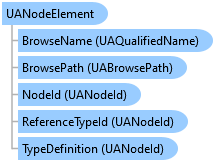
This object is filled in and returned e.g. when you browse the OPC server's address space.
There are implicit conversions from this type to:
// This example shows how to obtain "data nodes" (objects, variables and properties) under the "Objects" node in the address
// space.
//
// Find all latest examples here: https://www.doc-that.com/files/onlinedocs/OPCLabs-ConnectivityStudio/Latest/examples.html .
// OPC client and subscriber examples in C# on GitHub: https://github.com/OPCLabs/Examples-ConnectivityStudio-CSharp .
// Missing some example? Ask us for it on our Online Forums, https://forum.opclabs.com/forum/index ! You do not have to own
// a commercial license in order to use Online Forums, and we reply to every post.

using System;
using OpcLabs.EasyOpc.UA;
using OpcLabs.EasyOpc.UA.AddressSpace;
using OpcLabs.EasyOpc.UA.OperationModel;

namespace UADocExamples._EasyUAClient
{
    partial class BrowseDataNodes
    {
        public static void Overload1()
        {
            UAEndpointDescriptor endpointDescriptor =
                "opc.tcp://opcua.demo-this.com:51210/UA/SampleServer";
            // or "http://opcua.demo-this.com:51211/UA/SampleServer" (currently not supported)
            // or "https://opcua.demo-this.com:51212/UA/SampleServer/"

            // Instantiate the client object
            var client = new EasyUAClient();

            // Obtain data nodes under "Objects" node.
            UANodeElementCollection nodeElementCollection;
            try
            {
                nodeElementCollection = client.BrowseDataNodes(endpointDescriptor);
            }
            catch (UAException uaException)
            {
                Console.WriteLine($"*** Failure: {uaException.GetBaseException().Message}");
                return;
            }

            // Display results
            foreach (UANodeElement nodeElement in nodeElementCollection)
            {
                Console.WriteLine();
                Console.WriteLine($"nodeElement.DisplayName: {nodeElement.DisplayName}");
                Console.WriteLine($"nodeElement.NodeId: {nodeElement.NodeId}");
                Console.WriteLine($"nodeElement.NodeId.ExpandedText: {nodeElement.NodeId.ExpandedText}");
            }
        }

        // Example output:
        //
        //nodeElement.DisplayName: Server
        //nodeElement.NodeId: Server
        //nodeElement.NodeId.ExpandedText: nsu = http://opcfoundation.org/UA/ ;i=2253
        //
        //nodeElement.DisplayName: Data
        //nodeElement.NodeId: nsu = http://test.org/UA/Data/ ;ns=2;i=10157
        //nodeElement.NodeId.ExpandedText: nsu = http://test.org/UA/Data/ ;ns=2;i=10157
        //
        //nodeElement.DisplayName: Boilers
        //nodeElement.NodeId: nsu = http://opcfoundation.org/UA/Boiler/ ;ns=4;i=1240
        //nodeElement.NodeId.ExpandedText: nsu = http://opcfoundation.org/UA/Boiler/ ;ns=4;i=1240
        //
        //nodeElement.DisplayName: MemoryBuffers
        //nodeElement.NodeId: nsu = http://samples.org/UA/memorybuffer ;ns=7;i=1025
        //nodeElement.NodeId.ExpandedText: nsu = http://samples.org/UA/memorybuffer ;ns=7;i=1025
    }
}
# This example shows how to obtain "data nodes" (objects, variables and properties) under the "Objects" node in the address
# space.
#
# Find all latest examples here: https://www.doc-that.com/files/onlinedocs/OPCLabs-ConnectivityStudio/Latest/examples.html .
# OPC client and subscriber examples in PowerShell on GitHub: https://github.com/OPCLabs/Examples-ConnectivityStudio-PowerShell .
# Missing some example? Ask us for it on our Online Forums, https://forum.opclabs.com/forum/index ! You do not have to own
# a commercial license in order to use Online Forums, and we reply to every post.

#requires -Version 5.1
using namespace OpcLabs.EasyOpc.UA
using namespace OpcLabs.EasyOpc.UA.OperationModel

# The path below assumes that the current directory is [ProductDir]/Examples-NET/PowerShell/Windows .
Add-Type -Path "../../../Components/Opclabs.QuickOpc/net472/OpcLabs.EasyOpcUAPrimitives.dll"
Add-Type -Path "../../../Components/Opclabs.QuickOpc/net472/OpcLabs.EasyOpcUACore.dll"
Add-Type -Path "../../../Components/Opclabs.QuickOpc/net472/OpcLabs.EasyOpcUA.dll"
Add-Type -Path "../../../Components/Opclabs.QuickOpc/net472/OpcLabs.EasyOpcUAComponents.dll"

[UAEndpointDescriptor]$endpointDescriptor =
    "opc.tcp://opcua.demo-this.com:51210/UA/SampleServer"
# or "http://opcua.demo-this.com:51211/UA/SampleServer" (currently not supported)
# or "https://opcua.demo-this.com:51212/UA/SampleServer/"

# Instantiate the client object.
$client = New-Object EasyUAClient

# Obtain data nodes under "Objects" node.
try {
    $nodeElementCollection = [IEasyUAClientExtension]::BrowseDataNodes($client, $endpointDescriptor)
}
catch [UAException] {
    Write-Host "*** Failure: $($PSItem.Exception.GetBaseException().Message)"
    return
}

# Display results
foreach ($nodeElement in $nodeElementCollection) {
    Write-Host
    Write-Host "nodeElement.DisplayName: $($nodeElement.DisplayName)"
    Write-Host "nodeElement.NodeId: $($nodeElement.NodeId)"
    Write-Host "nodeElement.NodeId.ExpandedText: $($nodeElement.NodeId.ExpandedText)"
}


# Example output:
#
#nodeElement.DisplayName: Server
#nodeElement.NodeId: Server
#nodeElement.NodeId.ExpandedText: nsu = http://opcfoundation.org/UA/ ;i=2253
#
#nodeElement.DisplayName: Data
#nodeElement.NodeId: nsu = http://test.org/UA/Data/ ;ns=2;i=10157
#nodeElement.NodeId.ExpandedText: nsu = http://test.org/UA/Data/ ;ns=2;i=10157
#
#nodeElement.DisplayName: Boilers
#nodeElement.NodeId: nsu = http://opcfoundation.org/UA/Boiler/ ;ns=4;i=1240
#nodeElement.NodeId.ExpandedText: nsu = http://opcfoundation.org/UA/Boiler/ ;ns=4;i=1240
#
#nodeElement.DisplayName: MemoryBuffers
#nodeElement.NodeId: nsu = http://samples.org/UA/memorybuffer ;ns=7;i=1025
#nodeElement.NodeId.ExpandedText: nsu = http://samples.org/UA/memorybuffer ;ns=7;i=1025
' This example shows how to obtain "data nodes" (objects, variables and properties) under the "Objects" node in the address
' space.
'
' Find all latest examples here: https://www.doc-that.com/files/onlinedocs/OPCLabs-ConnectivityStudio/Latest/examples.html .
' OPC client and subscriber examples in VB.NET on GitHub: https://github.com/OPCLabs/Examples-ConnectivityStudio-VBNET .
' Missing some example? Ask us for it on our Online Forums, https://forum.opclabs.com/forum/index ! You do not have to own
' a commercial license in order to use Online Forums, and we reply to every post.

Imports OpcLabs.EasyOpc.UA
Imports OpcLabs.EasyOpc.UA.AddressSpace
Imports OpcLabs.EasyOpc.UA.OperationModel

Namespace Global.UADocExamples._EasyUAClient
    Friend Class BrowseDataNodes
        Public Shared Sub Overload1()

            ' Define which server we will work with.
            Dim endpointDescriptor As UAEndpointDescriptor =
                    "opc.tcp://opcua.demo-this.com:51210/UA/SampleServer"
            ' or "http://opcua.demo-this.com:51211/UA/SampleServer" (currently not supported)
            ' or "https://opcua.demo-this.com:51212/UA/SampleServer/"

            ' Instantiate the client object
            Dim client = New EasyUAClient()

            ' Obtain data nodes under "Objects" node
            Dim nodeElementCollection As UANodeElementCollection
            Try
                nodeElementCollection = client.BrowseDataNodes(endpointDescriptor)
            Catch uaException As UAException
                Console.WriteLine("*** Failure: {0}", uaException.GetBaseException.Message)
                Exit Sub
            End Try

            ' Display results
            For Each nodeElement As UANodeElement In nodeElementCollection
                Console.WriteLine()
                Console.WriteLine("nodeElement.NodeId: {0}", nodeElement.NodeId)
                Console.WriteLine("nodeElement.DisplayName: {0}", nodeElement.DisplayName)
            Next nodeElement

            ' Example output:
            '
            'nodeElement.NodeId: nsu=http://opcfoundation.org/UA/;i=2253
            'nodeElement.DisplayName: Server
            '
            'nodeElement.NodeId: nsu=http://test.org/UA/Data/ ;i=10157
            'nodeElement.DisplayName: Data
            '
            'nodeElement.NodeId: nsu=http://opcfoundation.org/UA/Boiler/;i=1240
            'nodeElement.DisplayName: Boilers
            '
            'nodeElement.NodeId: nsu=http://samples.org/UA/memorybuffer;i=1025
            'nodeElement.DisplayName: MemoryBuffers
        End Sub
    End Class
End Namespace
# This example shows how to obtain all data nodes (objects and variables) under a given node of the OPC-UA address space.
# For each node, it displays its browse name and node ID.
#
# Find all latest examples here: https://www.doc-that.com/files/onlinedocs/OPCLabs-ConnectivityStudio/Latest/examples.html .
# OPC client and subscriber examples in Python on GitHub: https://github.com/OPCLabs/Examples-ConnectivityStudio-Python .
# Missing some example? Ask us for it on our Online Forums, https://forum.opclabs.com/forum/index ! You do not have to own
# a commercial license in order to use Online Forums, and we reply to every post.
# The QuickOPC package is needed. Install it using "pip install opclabs_quickopc".
import opclabs_quickopc

# Import .NET namespaces.
from OpcLabs.EasyOpc.UA import *
from OpcLabs.EasyOpc.UA.OperationModel import *


endpointDescriptor = UAEndpointDescriptor('opc.tcp://opcua.demo-this.com:51210/UA/SampleServer')
# or 'http://opcua.demo-this.com:51211/UA/SampleServer' (currently not supported)
# or 'https://opcua.demo-this.com:51212/UA/SampleServer/'

# Instantiate the client object.
client = EasyUAClient()

# Obtain data nodes under "Objects" node.
try:
    nodeElementCollection = IEasyUAClientExtension.BrowseDataNodes(client, endpointDescriptor)
except UAException as uaException:
    print('*** Failure: ' + uaException.GetBaseException().Message)
    exit()

# Display results.
for nodeElement in nodeElementCollection:
    print()
    print('nodeElement.DisplayName: ', nodeElement.DisplayName, sep='')
    print('nodeElement.NodeId: ', nodeElement.NodeId, sep='')
    print('nodeElement.NodeId.ExpandedText: ', nodeElement.NodeId.ExpandedText, sep='')

print()
print('Finished.')
// This example shows how to obtain "data nodes" under the "Objects" node, recursively.
//
// Find all latest examples here: https://www.doc-that.com/files/onlinedocs/OPCLabs-ConnectivityStudio/Latest/examples.html .
// OPC client and subscriber examples in C# on GitHub: https://github.com/OPCLabs/Examples-ConnectivityStudio-CSharp .
// Missing some example? Ask us for it on our Online Forums, https://forum.opclabs.com/forum/index ! You do not have to own
// a commercial license in order to use Online Forums, and we reply to every post.

using System;
using System.Diagnostics;
using OpcLabs.EasyOpc.UA;
using OpcLabs.EasyOpc.UA.AddressSpace;
using OpcLabs.EasyOpc.UA.AddressSpace.Standard;
using OpcLabs.EasyOpc.UA.OperationModel;

namespace UADocExamples._EasyUAClient
{
    partial class BrowseDataNodes
    {
        public static void Recursive()
        {
            UAEndpointDescriptor endpointDescriptor =
                "opc.tcp://opcua.demo-this.com:51210/UA/SampleServer";
            // or "http://opcua.demo-this.com:51211/UA/SampleServer" (currently not supported)
            // or "https://opcua.demo-this.com:51212/UA/SampleServer/"

            // Instantiate the client object
            var client = new EasyUAClient();

            try
            {
                BrowseFromNode(client, endpointDescriptor, UAObjectIds.ObjectsFolder, level:0);
            }
            catch (UAException uaException)
            {
                Console.WriteLine($"*** Failure: {uaException.GetBaseException().Message}");
            }
        }

        private static void BrowseFromNode(
            EasyUAClient client,
            UAEndpointDescriptor endpointDescriptor,
            UANodeDescriptor parentNodeDescriptor,
            int level)
        {
            Debug.Assert(!(client is null));
            Debug.Assert(!(endpointDescriptor is null));
            Debug.Assert(!(parentNodeDescriptor is null));

            // Obtain all node elements under parentNodeDescriptor
            UANodeElementCollection nodeElementCollection =
                client.BrowseDataNodes(endpointDescriptor, parentNodeDescriptor);
            // Remark: BrowseDataNodes(...) may throw UAException; we handle it in the calling method.

            foreach (UANodeElement nodeElement in nodeElementCollection)
            {
                Debug.Assert(!(nodeElement is null));

                Console.Write(new string(' ', level*2));    // indent
                Console.WriteLine(nodeElement);

                // Browse recursively into the node.
                // The UANodeElement has an implicit conversion to UANodeDescriptor.
                BrowseFromNode(client, endpointDescriptor, nodeElement, level + 1);

                // Note that the number of nodes you obtain through recursive browsing may be very large, or even infinite.
                // Production code should contain appropriate safeguards for these cases.
            }
        }


        // Example output:
        //
        //ServerStatus -> nsu=http://opcfoundation.org/UA/ ;i=2256 (Variable)
        //  StartTime -> nsu=http://opcfoundation.org/UA/ ;i=2257 (Variable)
        //  CurrentTime -> nsu=http://opcfoundation.org/UA/ ;i=2258 (Variable)
        //  State -> nsu=http://opcfoundation.org/UA/ ;i=2259 (Variable)
        //  BuildInfo -> nsu=http://opcfoundation.org/UA/ ;i=2260 (Variable)
        //    ProductUri -> nsu=http://opcfoundation.org/UA/ ;i=2262 (Variable)
        //    ManufacturerName -> nsu=http://opcfoundation.org/UA/ ;i=2263 (Variable)
        //    ProductName -> nsu=http://opcfoundation.org/UA/ ;i=2261 (Variable)
        //    SoftwareVersion -> nsu=http://opcfoundation.org/UA/ ;i=2264 (Variable)
        //    BuildNumber -> nsu=http://opcfoundation.org/UA/ ;i=2265 (Variable)
        //    BuildDate -> nsu=http://opcfoundation.org/UA/ ;i=2266 (Variable)
        //  SecondsTillShutdown -> nsu=http://opcfoundation.org/UA/ ;i=2992 (Variable)
        //  ShutdownReason -> nsu=http://opcfoundation.org/UA/ ;i=2993 (Variable)
        //ServerCapabilities -> nsu=http://opcfoundation.org/UA/ ;i=2268 (Object)
        //  OperationLimits -> nsu=http://opcfoundation.org/UA/ ;i=11704 (Object)
        //    MaxNodesPerRead -> nsu=http://opcfoundation.org/UA/ ;i=11705 (Variable)
        //    MaxNodesPerHistoryReadData -> nsu=http://opcfoundation.org/UA/ ;i=12165 (Variable)
        //    MaxNodesPerHistoryReadEvents -> nsu=http://opcfoundation.org/UA/ ;i=12166 (Variable)
        //    MaxNodesPerWrite -> nsu=http://opcfoundation.org/UA/ ;i=11707 (Variable)
        //    MaxNodesPerHistoryUpdateData -> nsu=http://opcfoundation.org/UA/ ;i=12167 (Variable)
        //...
    }
}
' This example shows how to obtain "data nodes" under the "Objects" node, recursively.
'
' Find all latest examples here: https://www.doc-that.com/files/onlinedocs/OPCLabs-ConnectivityStudio/Latest/examples.html .
' OPC client and subscriber examples in VB.NET on GitHub: https://github.com/OPCLabs/Examples-ConnectivityStudio-VBNET .
' Missing some example? Ask us for it on our Online Forums, https://forum.opclabs.com/forum/index ! You do not have to own
' a commercial license in order to use Online Forums, and we reply to every post.

Imports OpcLabs.EasyOpc.UA
Imports OpcLabs.EasyOpc.UA.AddressSpace
Imports OpcLabs.EasyOpc.UA.AddressSpace.Standard
Imports OpcLabs.EasyOpc.UA.OperationModel

Namespace Global.UADocExamples._EasyUAClient
    Partial Friend Class BrowseDataNodes
        Public Shared Sub Recursive()

            ' Define which server we will work with.
            Dim endpointDescriptor As UAEndpointDescriptor =
                    "opc.tcp://opcua.demo-this.com:51210/UA/SampleServer"
            ' or "http://opcua.demo-this.com:51211/UA/SampleServer" (currently not supported)
            ' or "https://opcua.demo-this.com:51212/UA/SampleServer/"

            ' Instantiate the client object
            Dim client = New EasyUAClient()
            Try
                BrowseFromNode(client, endpointDescriptor, UAObjectIds.ObjectsFolder, level:=0)
            Catch uaException As UAException
                Console.WriteLine($"*** Failure: {uaException.GetBaseException().Message}")
                Exit Sub
            End Try
        End Sub

        Private Shared Sub BrowseFromNode(client As EasyUAClient, endPointDescriptor As UAEndpointDescriptor, parentNodeDescriptor As UANodeDescriptor, level As Integer)
            Debug.Assert(client IsNot Nothing)
            Debug.Assert(endPointDescriptor IsNot Nothing)
            Debug.Assert(parentNodeDescriptor IsNot Nothing)

            ' Obtain all node elements under parentNodeDescriptor
            Dim nodeElementCollection As UANodeElementCollection =
                client.BrowseDataNodes(endPointDescriptor, parentNodeDescriptor)
            ' Remark: BrowseDataNodes(...) may throw UAException; we handle it in the calling method.

            For Each nodeElement As UANodeElement In nodeElementCollection
                Debug.Assert(nodeElement IsNot Nothing)

                Console.Write(New String(" "c, level * 2))
                Console.WriteLine(nodeElement)

                ' Browse recursively into the node.
                ' The UANodeElement has an implicit conversion to UANodeDescriptor.
                BrowseFromNode(client, endPointDescriptor, nodeElement, level + 1)

                ' Note that the number of nodes you obtain through recursive browsing may be very large, or even infinite.
                ' Production code should contain appropriate safeguards for these cases.
            Next nodeElement
        End Sub
    End Class
End Namespace
# This example shows how to obtain "data nodes" under the "Objects" node, recursively.
#
# Find all latest examples here: https://www.doc-that.com/files/onlinedocs/OPCLabs-ConnectivityStudio/Latest/examples.html .
# OPC client and subscriber examples in Python on GitHub: https://github.com/OPCLabs/Examples-ConnectivityStudio-Python .
# Missing some example? Ask us for it on our Online Forums, https://forum.opclabs.com/forum/index ! You do not have to own
# a commercial license in order to use Online Forums, and we reply to every post.
# The QuickOPC package is needed. Install it using "pip install opclabs_quickopc".
import opclabs_quickopc

# Import .NET namespaces.
from OpcLabs.EasyOpc.UA import *
from OpcLabs.EasyOpc.UA.AddressSpace import *
from OpcLabs.EasyOpc.UA.AddressSpace.Standard import *
from OpcLabs.EasyOpc.UA.OperationModel import *


def browseFromNode(client, endpointDescriptor, parentNodeDescriptor, level):
    assert client is not None
    assert endpointDescriptor is not None
    assert parentNodeDescriptor is not None

    # Obtain all node elements under parentNodeDescriptor
    nodeElementCollection = IEasyUAClientExtension.BrowseDataNodes(client, endpointDescriptor, parentNodeDescriptor)
    # Remark: BrowseDataNodes(...) may throw UAException; we handle it in the calling method.
    #
    for nodeElement in nodeElementCollection:
        assert nodeElement is not None

        print(' '*(level*2), end='')    # indent
        print(nodeElement)

        # Browse recursively into the node.
        # The UANodeElement has an implicit conversion to UANodeDescriptor.
        browseFromNode(client, endpointDescriptor, nodeElement.ToUANodeDescriptor(), level + 1)

        # Note that the number of nodes you obtain through recursive browsing may be very large, or even infinite.
        # Production code should contain appropriate safeguards for these cases.


endpointDescriptor = UAEndpointDescriptor('opc.tcp://opcua.demo-this.com:51210/UA/SampleServer')
# or 'http://opcua.demo-this.com:51211/UA/SampleServer' (currently not supported)
# or 'https://opcua.demo-this.com:51212/UA/SampleServer/'

# Instantiate the client object.
client = EasyUAClient()

try:
    browseFromNode(client, endpointDescriptor, UANodeDescriptor(UAObjectIds.ObjectsFolder), 0)
except UAException as uaException:
    print('*** Failure: ' + uaException.GetBaseException().Message)
    exit()

print()
print('Finished.')
// This KEPServerEX/UA example shows how to obtain "data nodes" under the "Objects" node, recursively.
//
// Find all latest examples here: https://www.doc-that.com/files/onlinedocs/OPCLabs-ConnectivityStudio/Latest/examples.html .
// OPC client and subscriber examples in C# on GitHub: https://github.com/OPCLabs/Examples-ConnectivityStudio-CSharp .
// Missing some example? Ask us for it on our Online Forums, https://forum.opclabs.com/forum/index ! You do not have to own
// a commercial license in order to use Online Forums, and we reply to every post.

using System;
using System.Diagnostics;
using OpcLabs.EasyOpc.UA;
using OpcLabs.EasyOpc.UA.AddressSpace;
using OpcLabs.EasyOpc.UA.AddressSpace.Standard;
using OpcLabs.EasyOpc.UA.OperationModel;

namespace UADocExamples.Specialized
{
    partial class Kepware_KEPServerEX_UA
    {
        public static void BrowseDataNodes()
        {
            UAEndpointDescriptor endpointDescriptor = "opc.tcp://localhost:49320";  // default KEPServerEX/UA endpoint

            // Instantiate the client object
            var client = new EasyUAClient();

            try
            {
                BrowseFromNode(client, endpointDescriptor, UAObjectIds.ObjectsFolder, level:0);
            }
            catch (UAException uaException)
            {
                Console.WriteLine($"*** Failure: {uaException.GetBaseException().Message}");
            }
        }

        private static void BrowseFromNode(
            EasyUAClient client,
            UAEndpointDescriptor endpointDescriptor,
            UANodeDescriptor parentNodeDescriptor,
            int level)
        {
            Debug.Assert(!(client is null));
            Debug.Assert(!(endpointDescriptor is null));
            Debug.Assert(!(parentNodeDescriptor is null));

            // Obtain all node elements under parentNodeDescriptor
            UANodeElementCollection nodeElementCollection =
                client.BrowseDataNodes(endpointDescriptor, parentNodeDescriptor);
            // Remark: BrowseDataNodes(...) may throw UAException; we handle it in the calling method.

            foreach (UANodeElement nodeElement in nodeElementCollection)
            {
                Debug.Assert(!(nodeElement is null));

                Console.Write(new string(' ', level*2));    // indent
                Console.WriteLine(nodeElement);

                // Browse recursively into the node.
                // The UANodeElement has an implicit conversion to UANodeDescriptor.
                BrowseFromNode(client, endpointDescriptor, nodeElement, level + 1);

                // Note that the number of nodes you obtain through recursive browsing may be very large, or even infinite.
                // Production code should contain appropriate safeguards for these cases.
            }
        }
    }
}
System.Object
OpcLabs.BaseLib.Object2
OpcLabs.BaseLib.Info
OpcLabs.EasyOpc.UA.AddressSpace.UANodeElement
OpcLabs.EasyOpc.UA.Graphs.UANodeTreePosition